
emergency
Emergency squawk
7500, 7600 and 7700. On from the start. Your range, or anywhere in the world.
SQUAWK
Home · Live flight alerts
Look up
Live flight alerts are how FlightAbove tells you to look up. The screen shows what is passing overhead, then lights the edge when something is worth standing up for: a squawk that means something is wrong, a military flight, a type you have been waiting on, or an aircraft you would kick yourself for missing. A card names the flight, its height and how far away it is. Tap it and the display follows that aircraft live.
It is also a straightforward gift for someone who watches aircraft. Emergency squawks and emergency services are already on. Military and high profile stay quiet until they want the interruption. You can put their airline, a registration or an A380 on the watchlist before you hand it over.
Five reasons to look up
A phone app notifies a pocket. FlightAbove is already on the shelf, and the shelf lights up. Each kind has its own colour, so you can read it from across the room before you have read a word. On a round screen the light is a ring around the dial. On Mini and Horizon it runs around the edge.
7500, 7600 and 7700. On from the start. Your range, or anywhere in the world.
SQUAWK
Police, air ambulance and coastguard, inside your range. On from the start.
LOCAL
A callsign, an airline, a registration or a type. Up to 30. Blue when one arrives.
LIST
Transports, tankers, fighters and the spotter list. Off until you want it.
AMBER
Celebrities, sports teams and aircraft that turn up on television. Off until you switch it on.
NEWS
On the screen
These are real screens. The flights on them are examples of how the card reads, not a live feed of what is overhead right now.
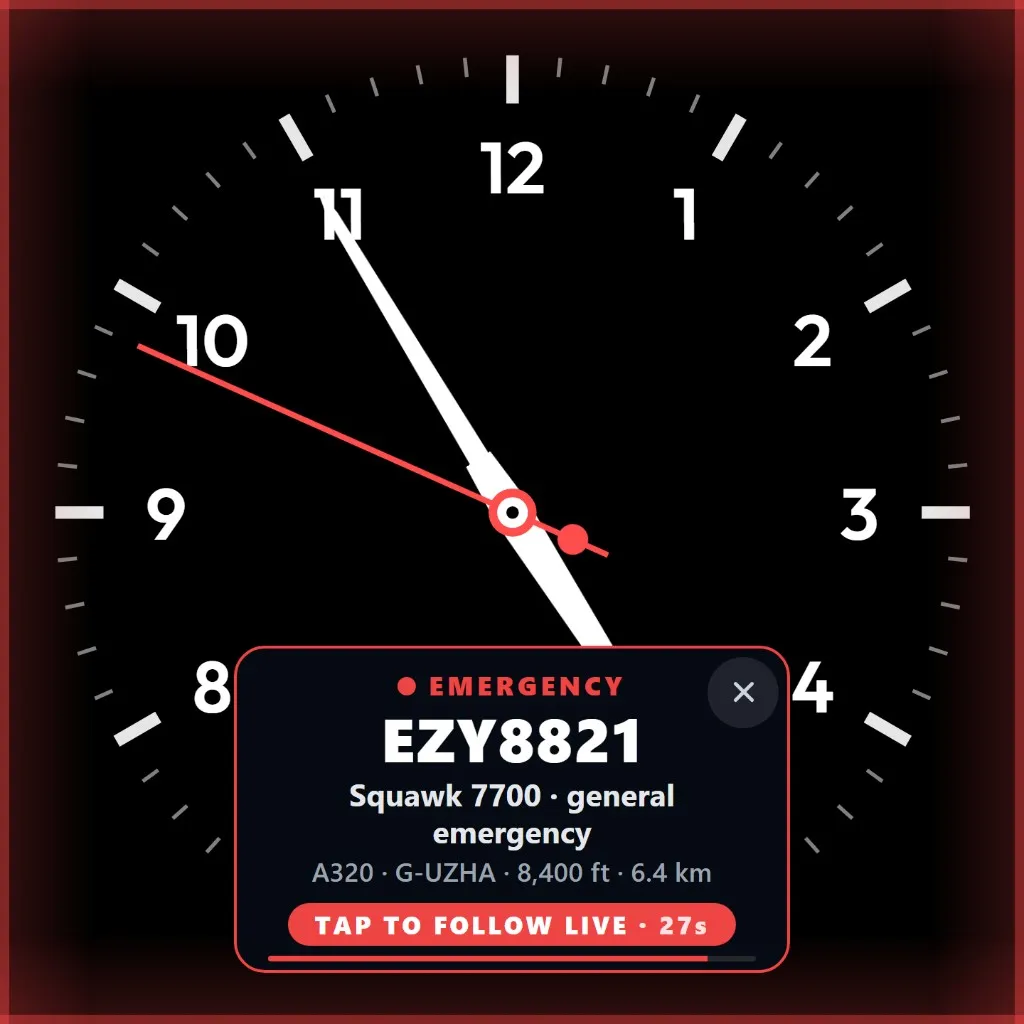
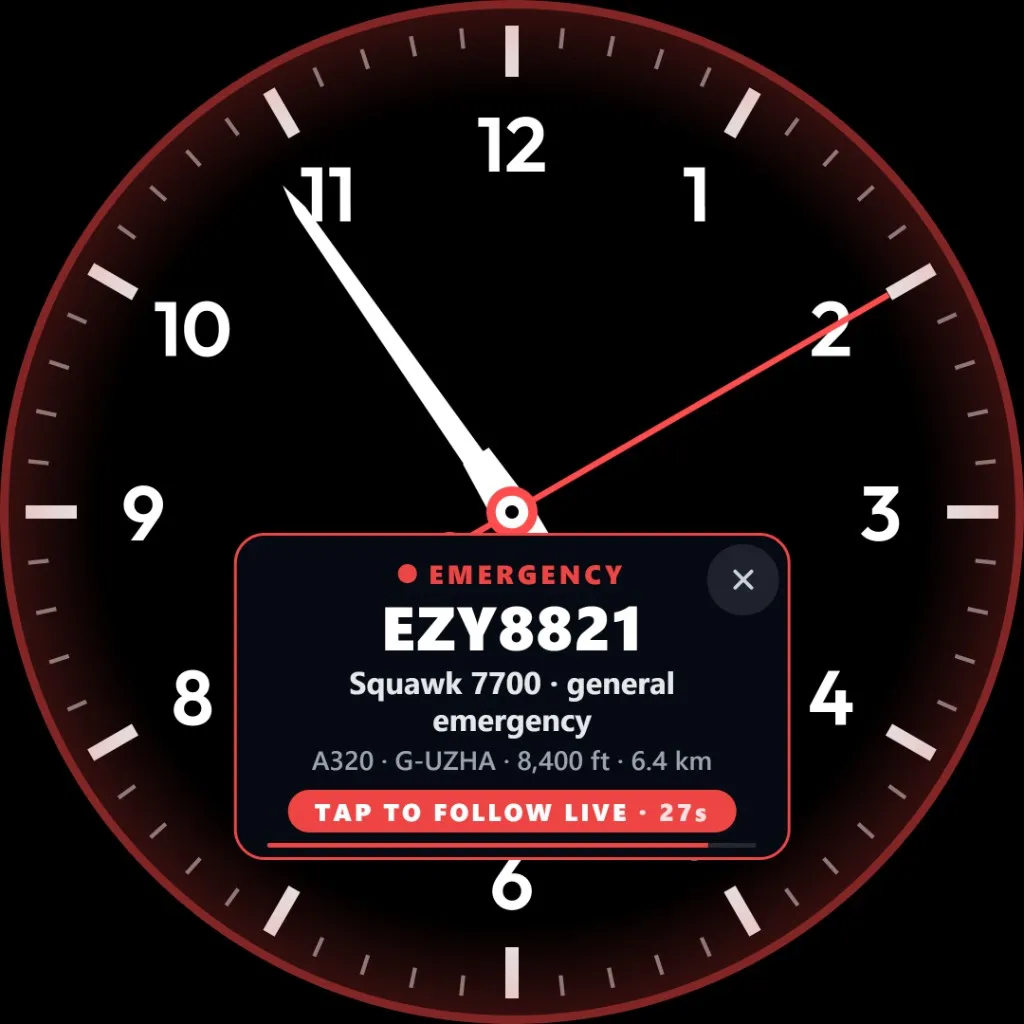
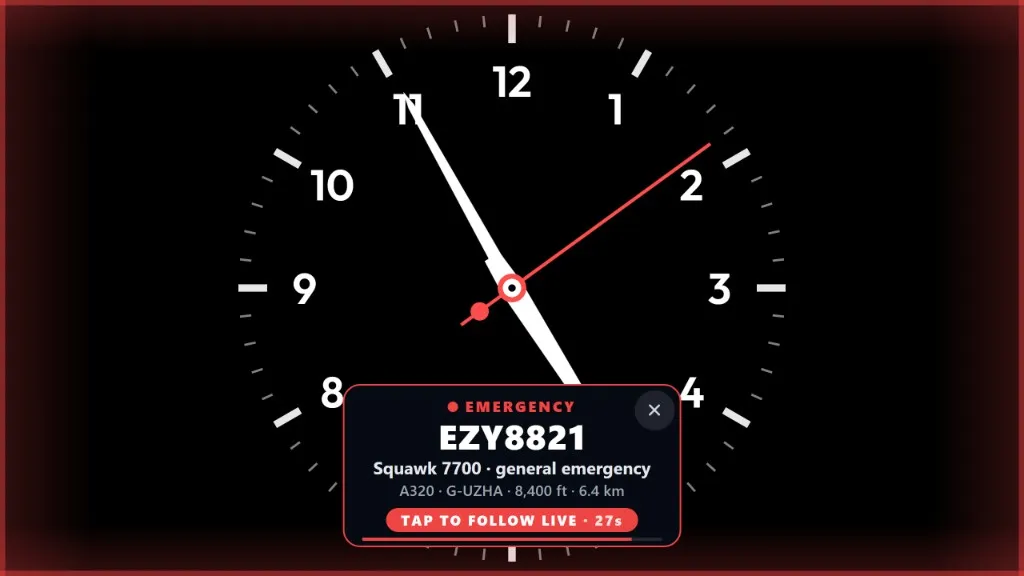
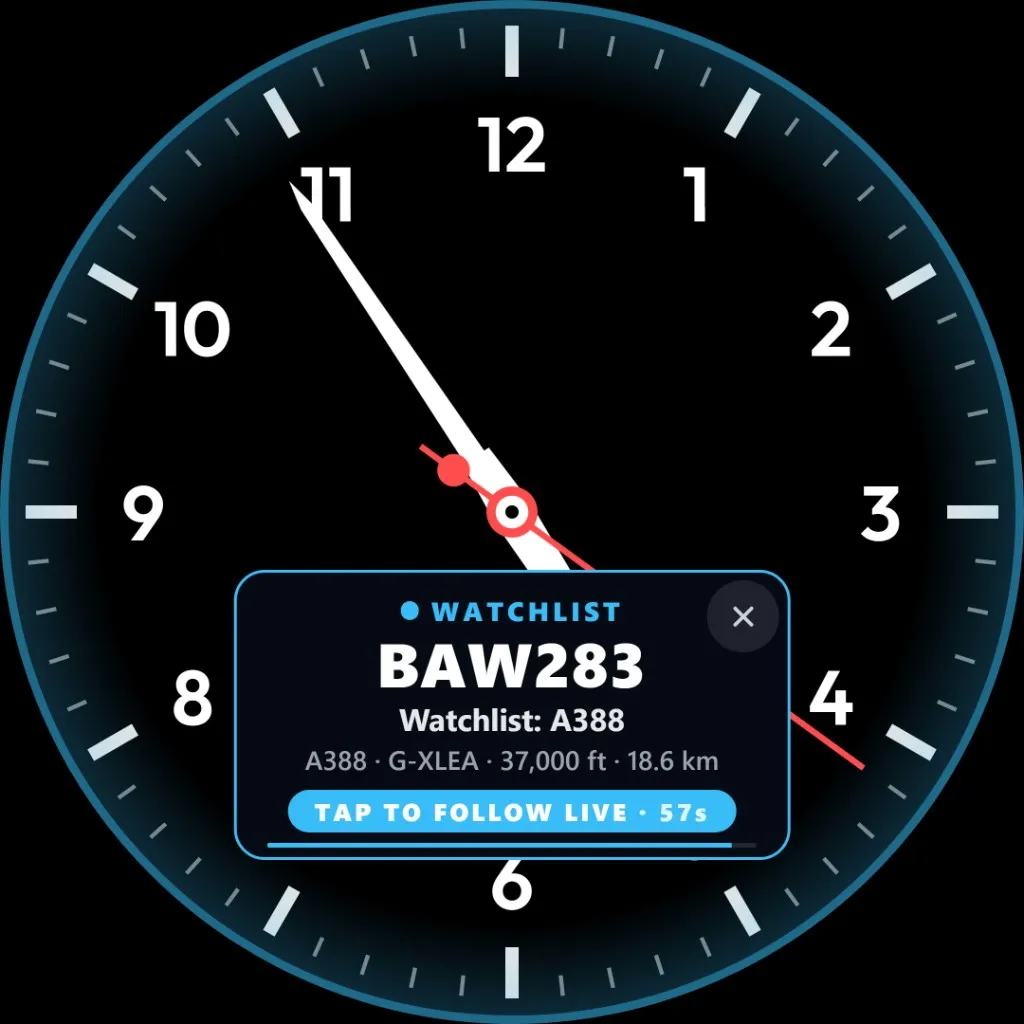
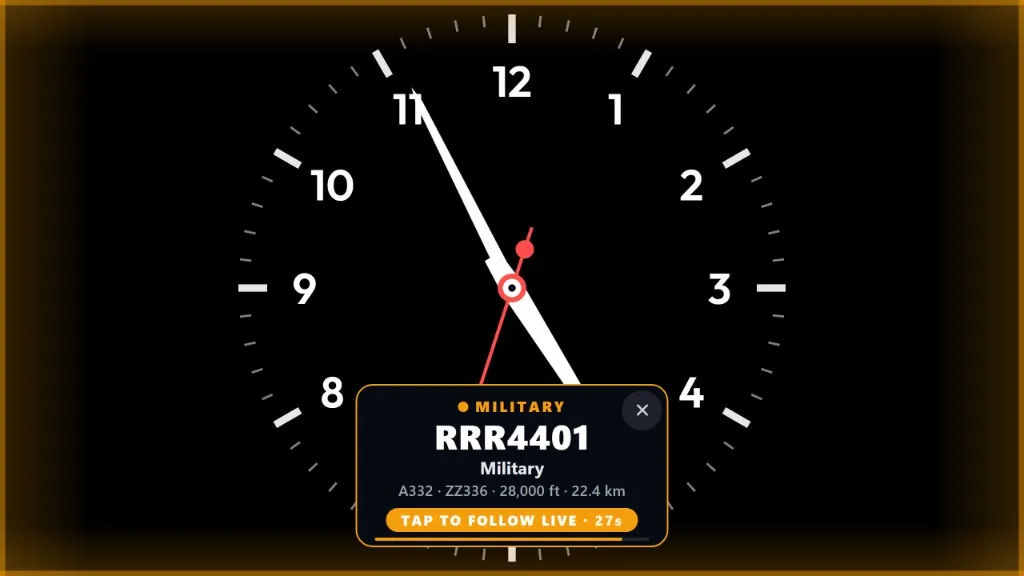
Red. The card names the code and what it means. Here EZY8821 is squawking 7700, a general emergency: an A320, G-UZHA, at 8,400 ft and 6.4 km away. Tap to follow it live.
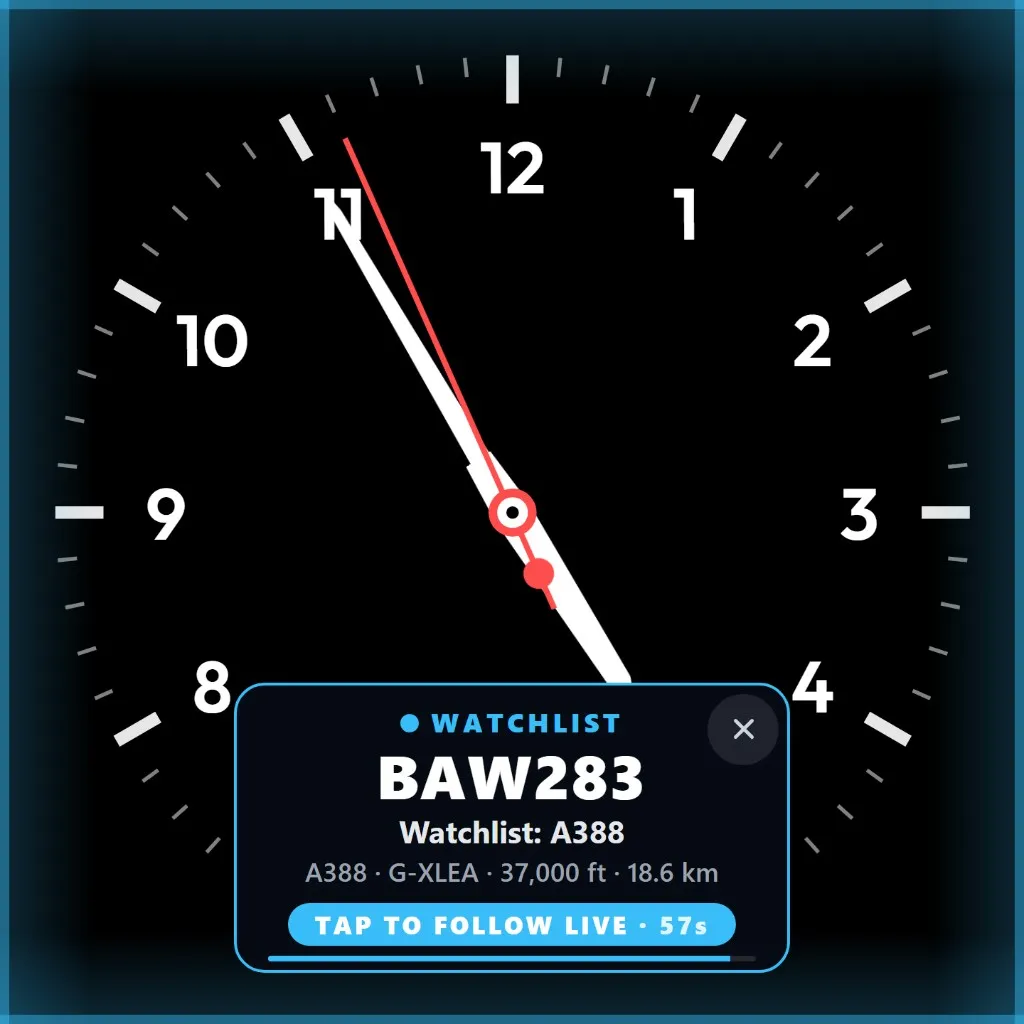
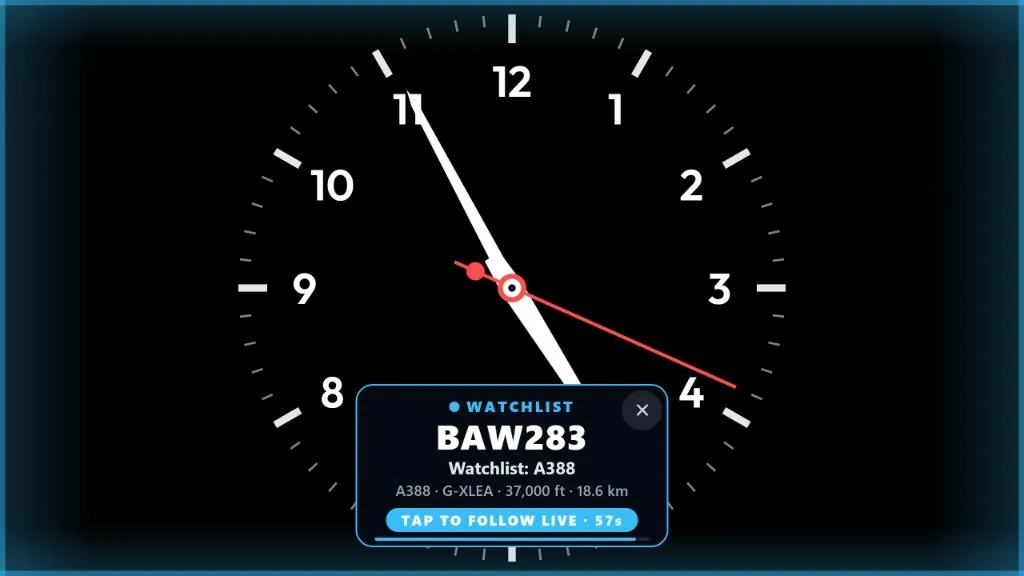
Blue. BAW283 matches a watchlist entry for the A380 (A388). The card shows G-XLEA at 37,000 ft, 18.6 km out, and a countdown until you can tap through to the live view.
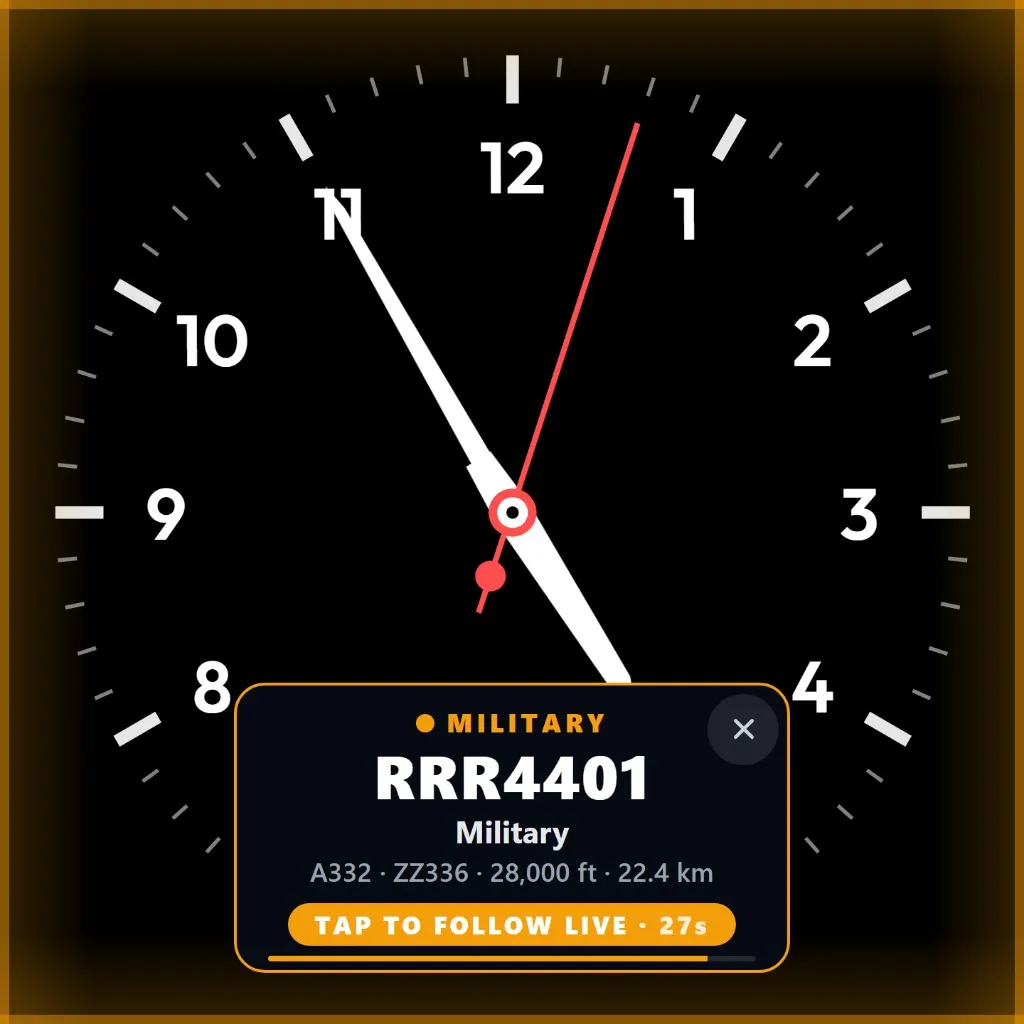
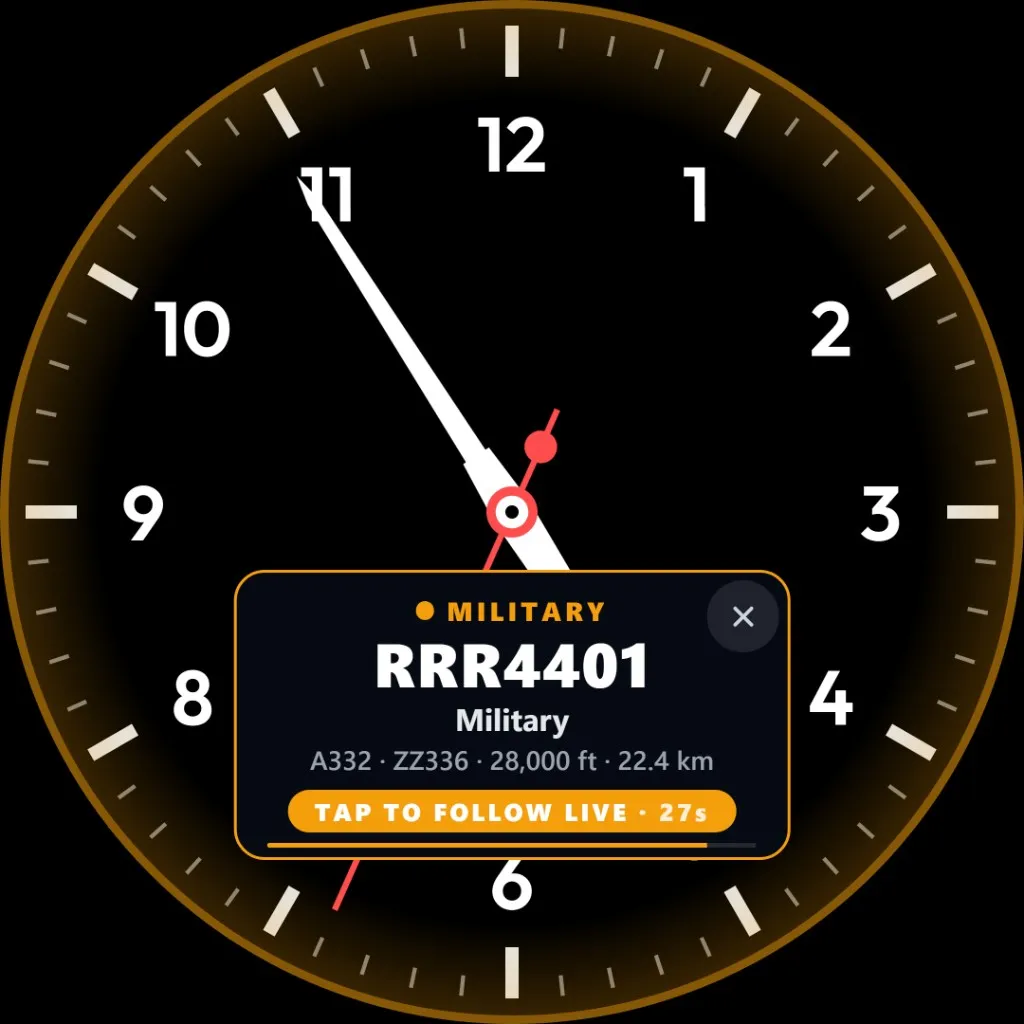
Amber. RRR4401, an A332 registered ZZ336, at 28,000 ft and 22.4 km. Transports, tankers, fighters, and the rest of the military traffic FlightAbove can recognise.
Emergency squawks
These are the codes crews set when they need help. The card is red, and it says which code and what it means. This is for people who watch aircraft. It is not a distress service. Recent 7500, 7600 and 7700 reports, with the aircraft photo and the place, are on recent squawk alerts. What does squawk 7700 mean?
7500
The crew is telling controllers the aircraft is under threat.
7600
The crew cannot talk to air traffic control on the radio.
7700
The catch-all. Something is wrong and they want priority.
Twice
FlightAbove waits until the squawk is seen twice in a row. A single bad read does not light up the room.
Range
Keep emergency squawks to aircraft inside your range, or hear about them anywhere. Emergency services stay local: police, air ambulance and coastguard nearby, not a helicopter on the other side of the country. That card is teal, and it names the service when FlightAbove knows it.
Watchlist
Add a flight, an airline, a registration or a type. When it comes into range the screen tells you, in blue, and you can tap straight through to follow it. Up to 30 entries. Tap one to remove it.
Buying it for someone else? Put their airline on the list before you wrap it. The blue card is the moment they realise you knew what they watch.
When you want the interruption
Both of these start off. That is how most people want the screen in the living room to behave. Switch them on when the room is yours.
Transports, tankers, fighters, and the rest of the military traffic the device can recognise, including aircraft on the spotter list. The card is amber. In the example, RRR4401 is an A332, ZZ336, at 28,000 ft and 22.4 km.
Celebrities, sports teams, and aircraft that turn up on television. The card is a soft purple, and it names the aircraft when that name is known. Another one to switch on only if you want the interruption.
01
Shown first. A squawk outranks everything else on the screen.
02
Your list comes next. The aircraft you asked for, before a military pass.
03
After those two. The same aircraft will not announce itself again for a while, so a jet holding overhead does not keep ringing.
After the tap
A tap opens the live view and follows that aircraft on the map. You can see where it is, how far it is from you, and the flight itself. Stop following when you have had your look. Want a flight that is not an alert? Follow a specific flight on every face.
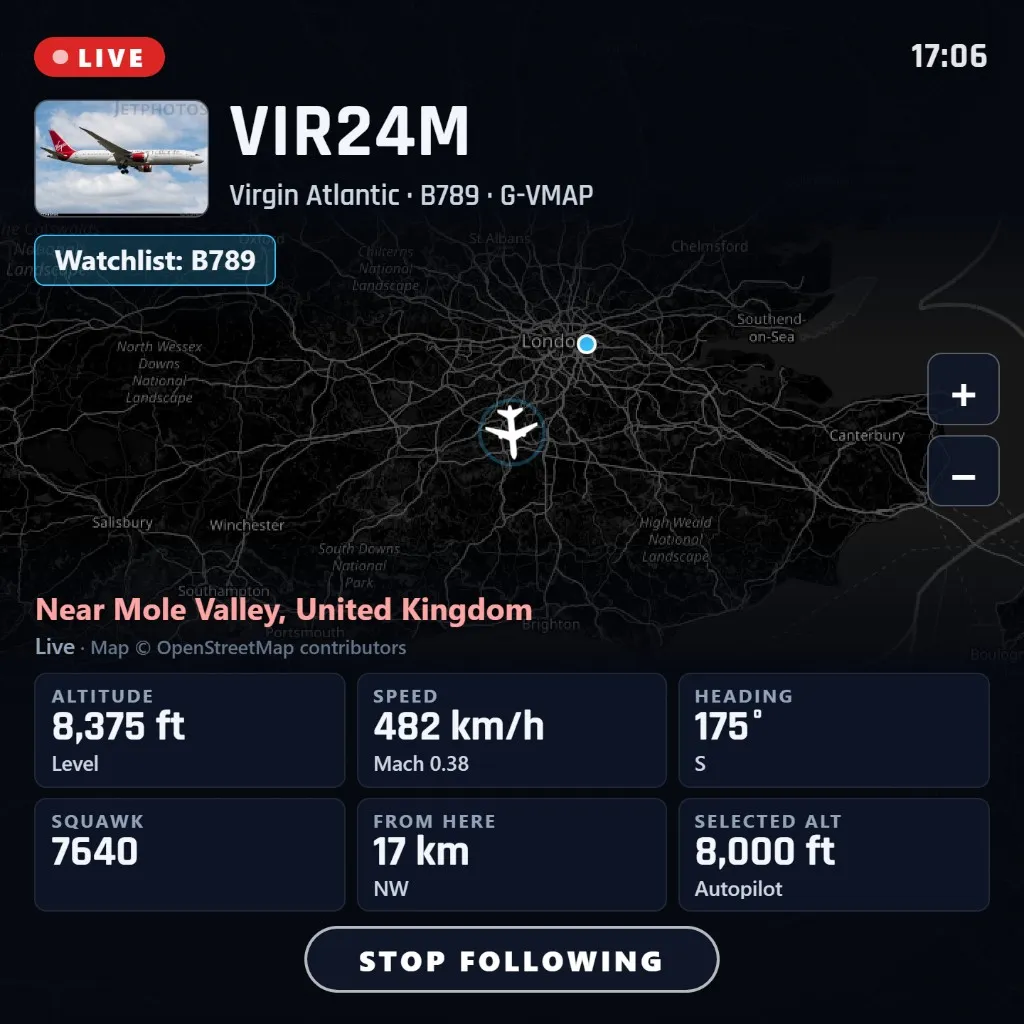
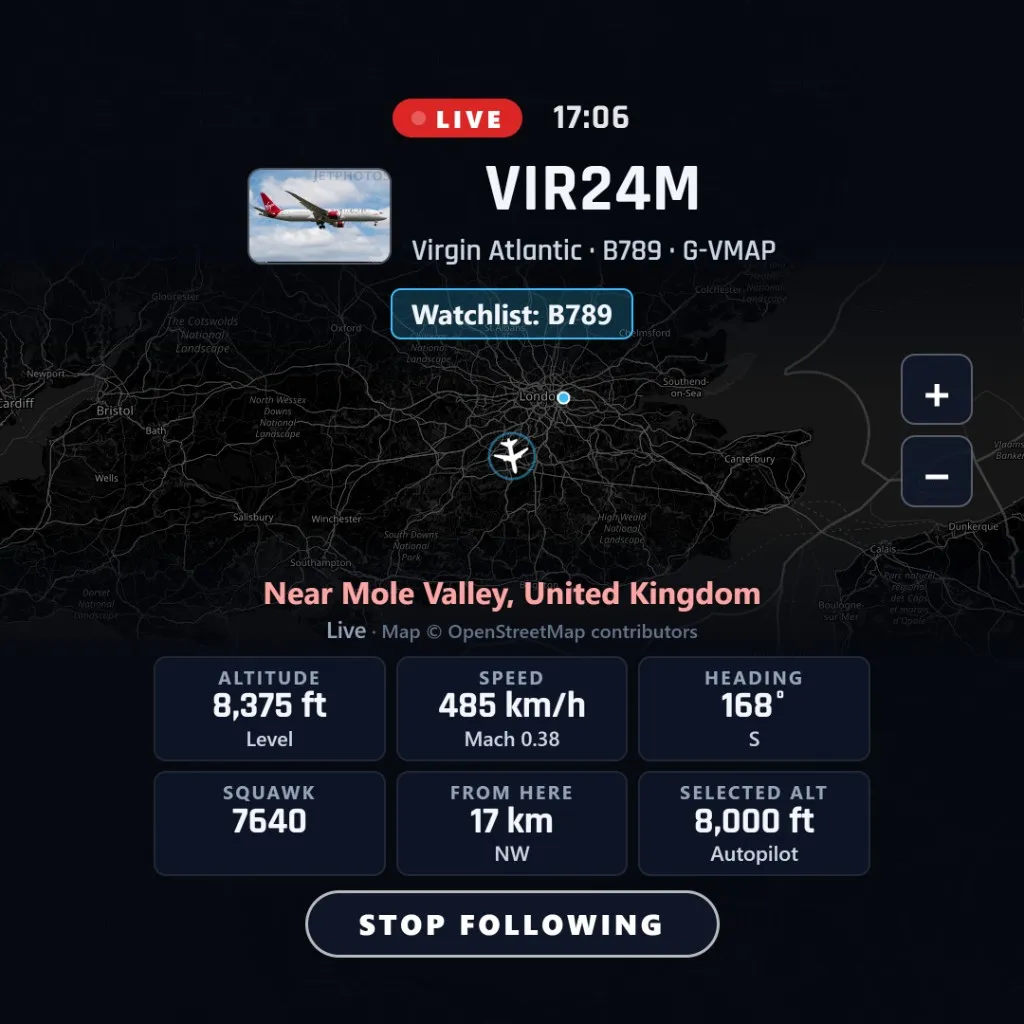
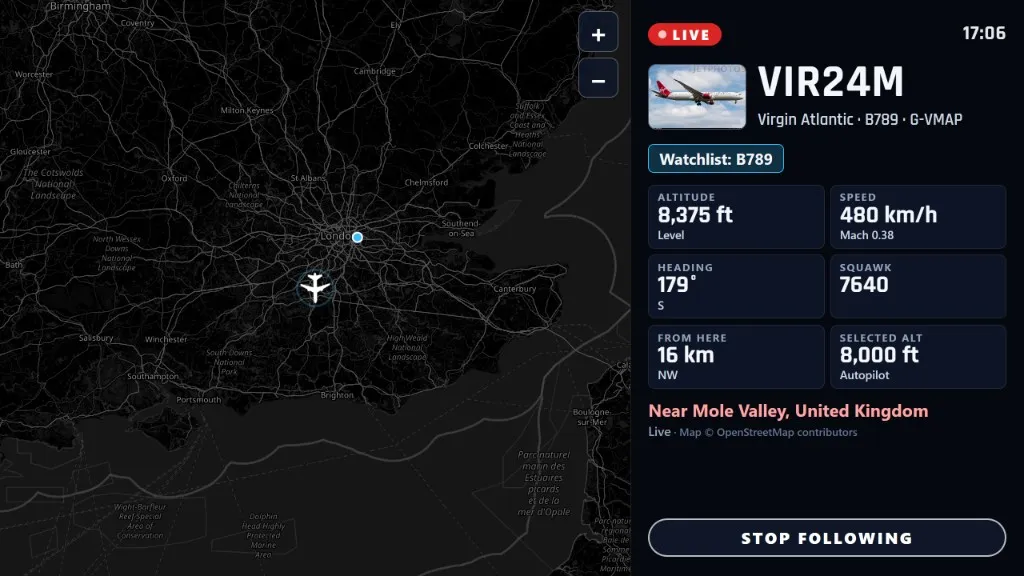
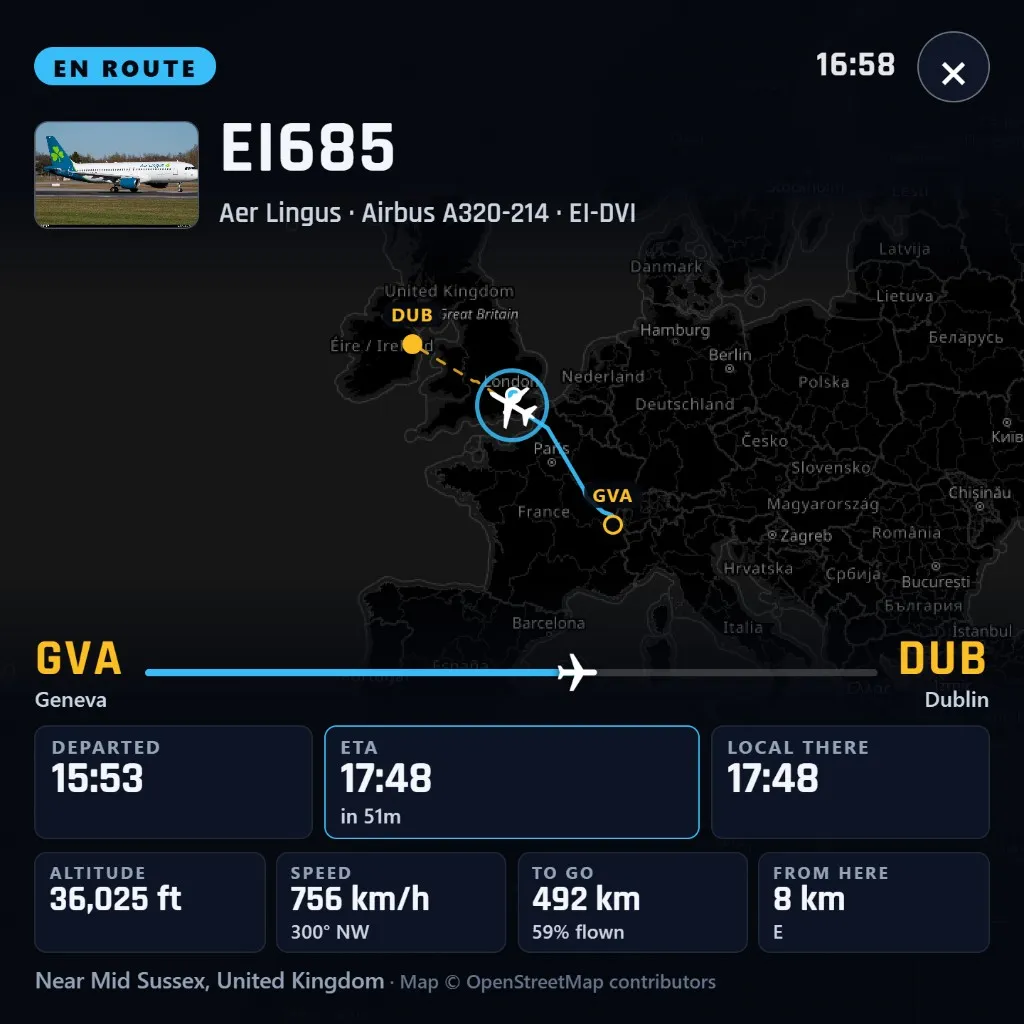
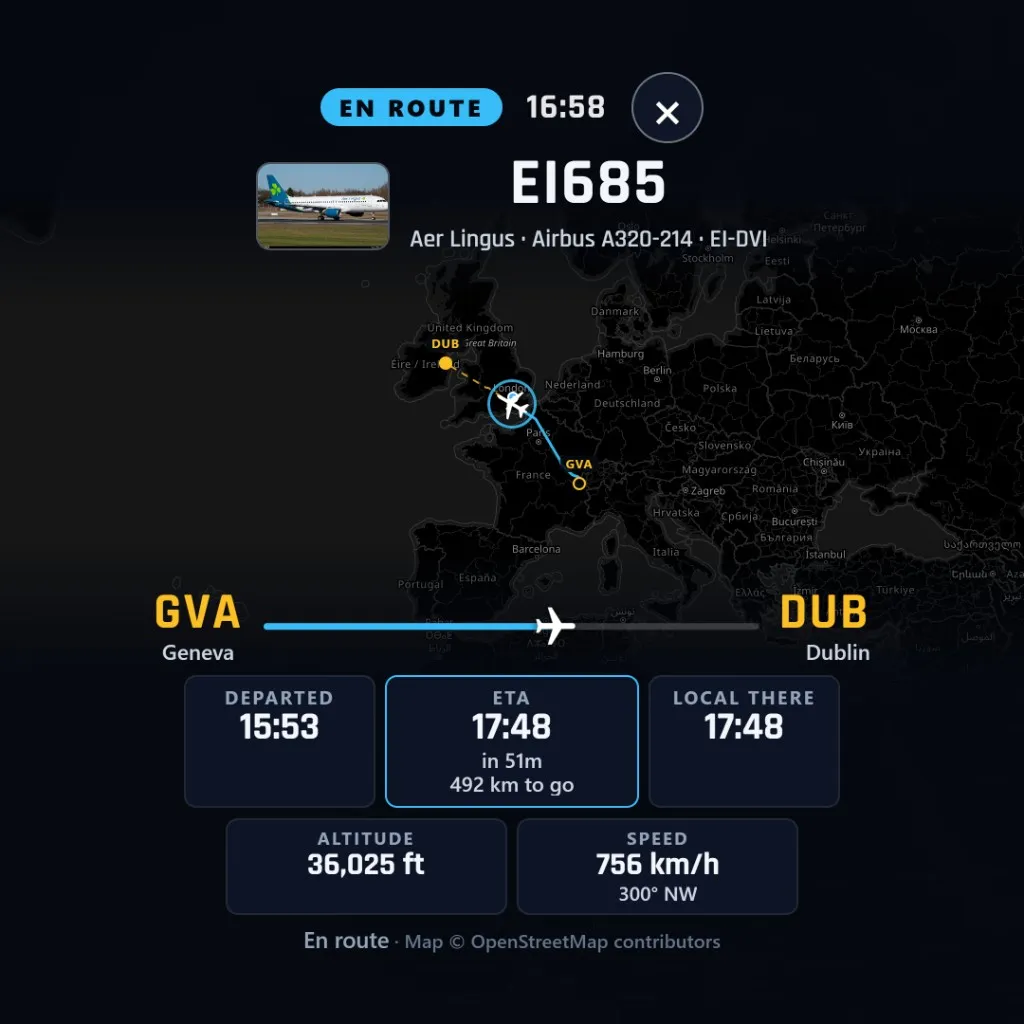
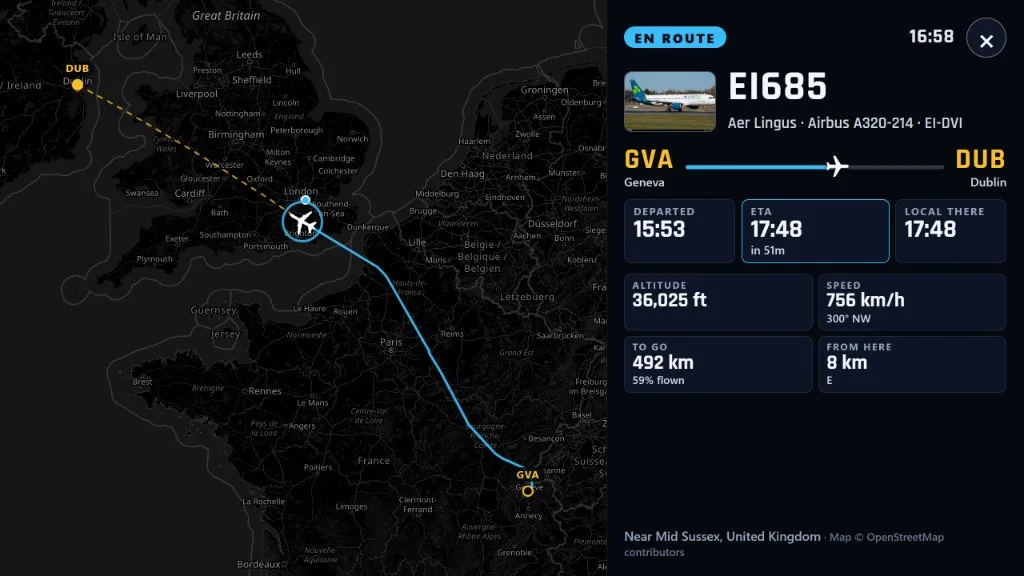
Virgin Atlantic VIR24M, a 787 on the watchlist, live over Mole Valley with altitude, speed, heading and distance from you. Stop following when you are done. On Mini the same view is following Aer Lingus EI685 from Geneva to Dublin.
The flight card: airline, type, registration, the route from Geneva to Dublin, departed time, ETA, kilometres left, altitude and speed. Horizon shows the same idea on Virgin Atlantic VIR24M.
How to set them
01
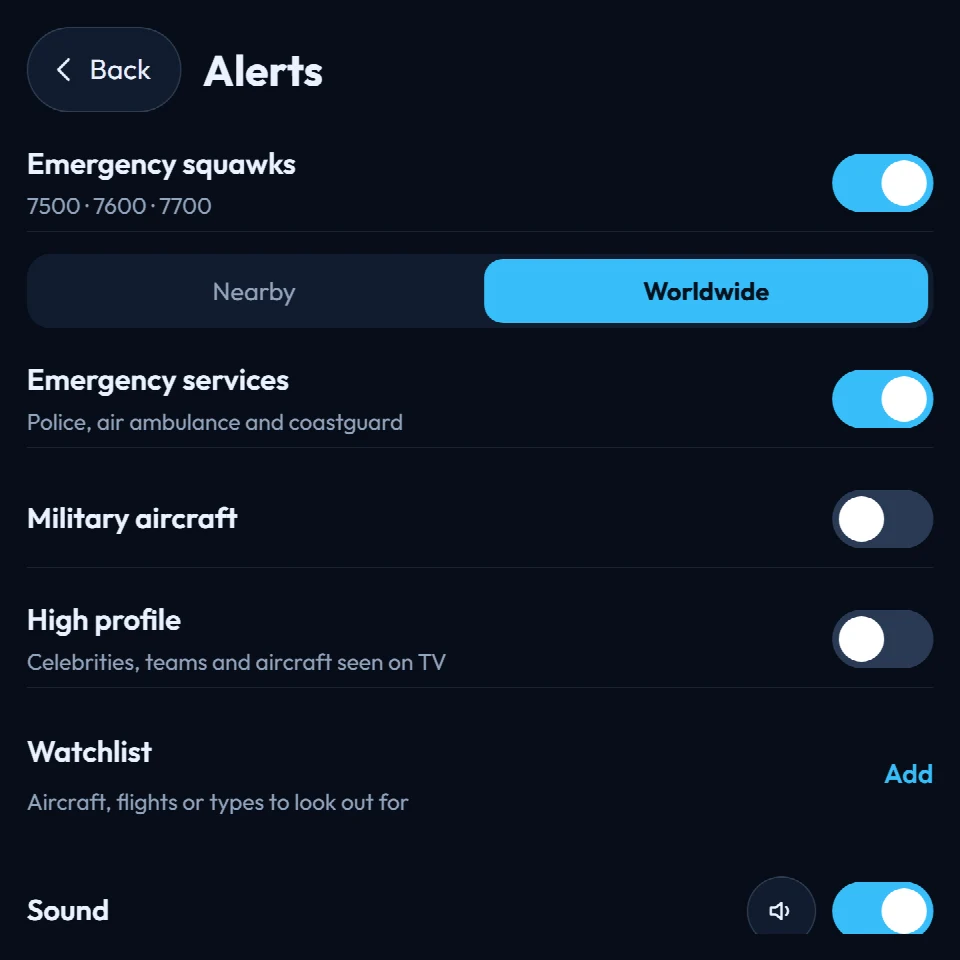
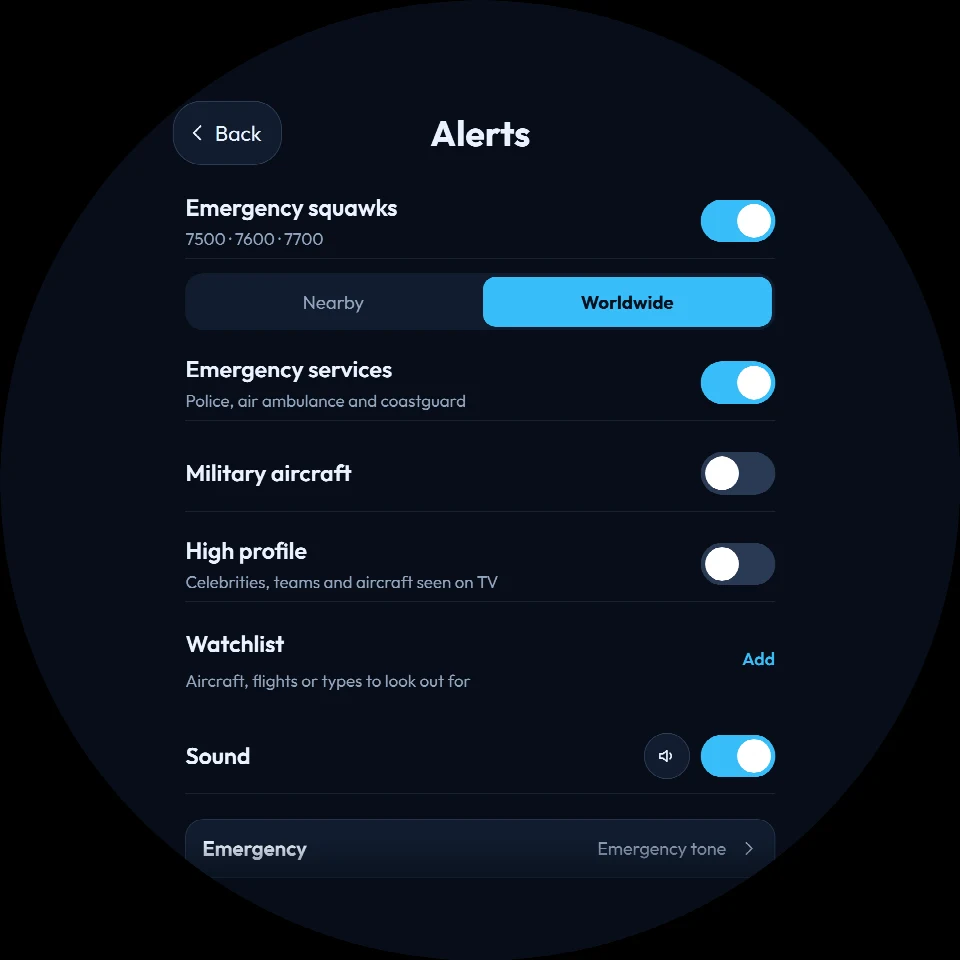
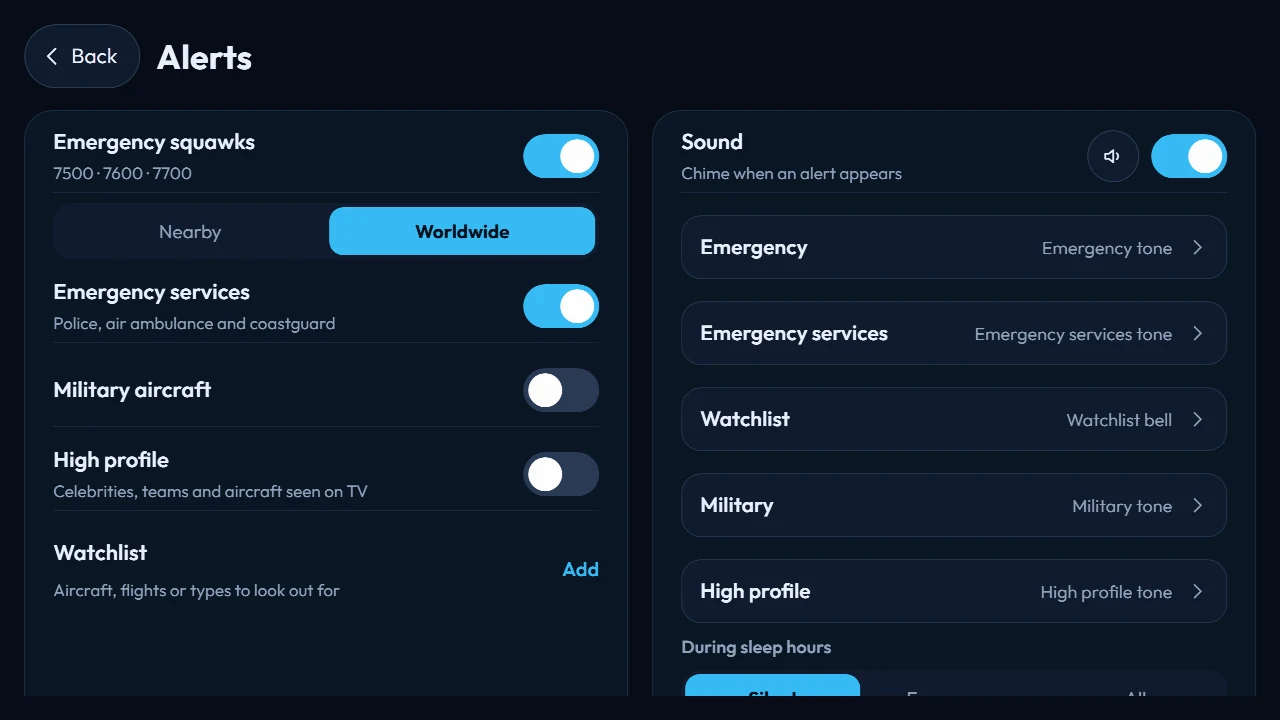
Press and hold the screen, or double-tap, and open Alerts. The same page is in the web dashboard.
02
Each kind is a switch. Emergency squawks and emergency services are on from the start. Military and high profile stay off until you want them.
03
Give each kind its own chime, or switch sound off. During sleep hours the device can stay silent, let only emergencies through, or allow every alert.
Sleep hours live under Device, so the quiet hours and the alerts stay in step. The switches themselves are on the Alerts screen.
Who it is for
The same alerts. One of you wants the squawk the moment it appears. The other wants a present that already knows their airline.
Aviation
A gift
Before you decide
A live flight alert is the moment FlightAbove decides an aircraft is worth looking up for. The edge of the screen lights up and a card names the flight, its height and how far away it is. Tap it and the display follows that aircraft live on a map.
These are the codes crews set when they need help. 7500 means hijack. 7600 means radio failure. 7700 means a general emergency. The card is red and says which code and what it means. FlightAbove waits until the squawk is seen twice in a row, so one bad read does not light up the room.
Yes. Military alerts cover transports, tankers, fighters and the other military traffic the device can recognise, including aircraft on the spotter list. The card is amber. This switch starts off, so a living room stays quiet until you turn it on.
A callsign such as BAW123, an airline with a star such as VIR* for every Virgin flight, a registration such as G-XLEA, or a type such as A388 for the A380. The list holds up to 30 entries. Tap one to remove it. The card is blue when a match comes into range.
Yes. Emergency services covers police, air ambulance and coastguard. The card is teal and names the service when FlightAbove knows it. These stay inside your range: the helicopter working nearby, not one on the other side of the country. This switch is on from the start.
High profile is for celebrities, sports teams and aircraft that turn up on television. The card is a soft purple and names the aircraft when that name is known. It stays off until you switch it on.
You choose. Emergency squawks can stay inside your range, or you can hear about them anywhere in the world. Emergency services alerts always stay inside your range.
The urgent one is shown first. An emergency comes before a watchlist hit, and a watchlist hit comes before a military pass. The same aircraft will not announce itself again for a while, so a jet holding overhead does not keep ringing.
Yes. Each kind of alert can have its own chime, or sound can be off entirely. During sleep hours the device can stay silent, let only emergencies through, or allow every alert. Sleep hours are set under Device.
The display opens the live view and follows that aircraft on the map. You see where it is, how far it is from you, and the flight itself: airline, type, registration, altitude and speed. Stop following when you have seen enough.
More to explore: On-screen controls · Follow a specific flight · LED Wall · Customising
Already on. Already watching.
Mini, Altitude or Horizon on the shelf. Connect if you already have a screen. Cloud if you already have a browser. Hardware paid for once. Live flight alerts included.
From £99.00 on hardware