
Classic
Four live data bays at 12, 3, 6 and 9. Easy to read from across the room.
Home · Customising
Make it yours
Customise your aircraft display without a manual. FlightAbove includes more than 15 clock faces, boards, scenes, eight flight-information layouts and more than 24 colour themes. On Mini, Altitude and Horizon, press and hold the screen. Every model, including Connect and Cloud, can be set from the web dashboard in any browser. Every change saves on its own.
It is also an easy gift. Pick the face before you wrap it, such as a pilot dial, nixie tubes or a split-flap board. Leave military traffic off until they want it. Hardware is paid for once. Customising is included.
15+
Clock faces
8
Flight layouts
4
Scenes
24+
Colour themes
Clock faces
Analogue, digital, and clocks with a personality of their own. Each look has its own options. Swap any time from the screen or the web dashboard. Pilot, GMT Master, several digital faces, the Radar board and the scenes are marked Beta. They are on the device and you can use them. We are still refining them.
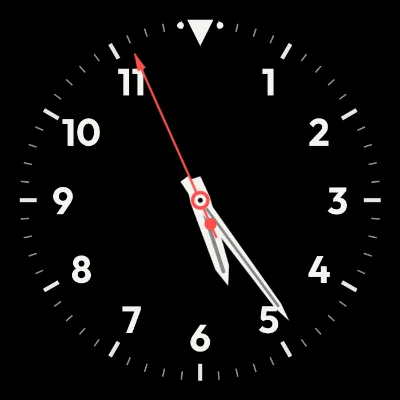
Hands on a dial. Classic and Minimal are the originals. Pilot and GMT Master are in beta.
Four live data bays at 12, 3, 6 and 9. Easy to read from across the room.
Thin markers, clean hands, no numerals.
An instrument dial with large numerals and sword hands.
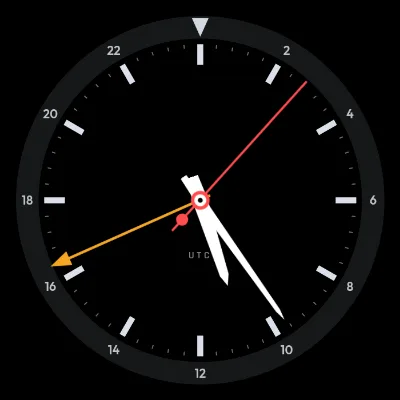
A 24-hour ring and a fourth hand for a second time zone.
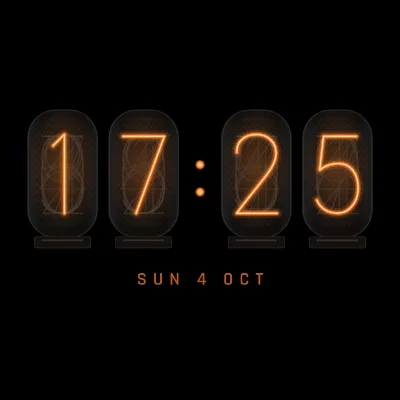
Numbers first. Heavy type you can read from the doorway, or glowing valve tubes.
Clean numerals with a slot above and below the time.
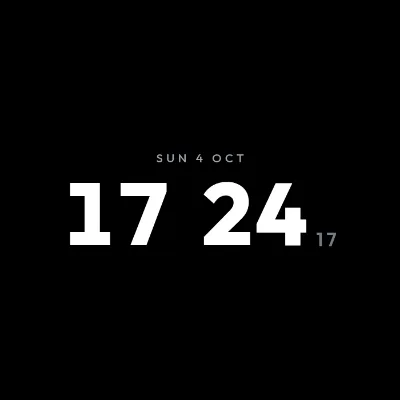
The largest, plainest digital clock, for reading at a distance.
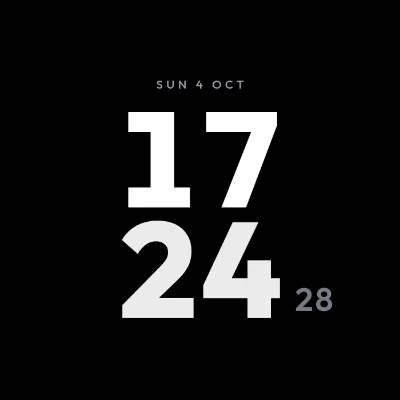
Hours and minutes on two lines. It suits a round screen.
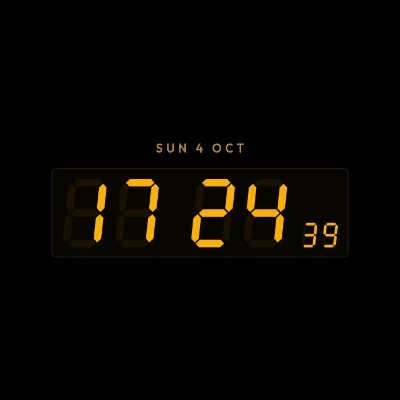
A cockpit-style readout in a thin-bordered panel.
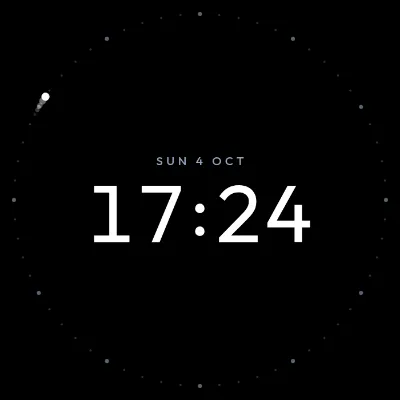
Hours and minutes stay still. A ring tracks the seconds.
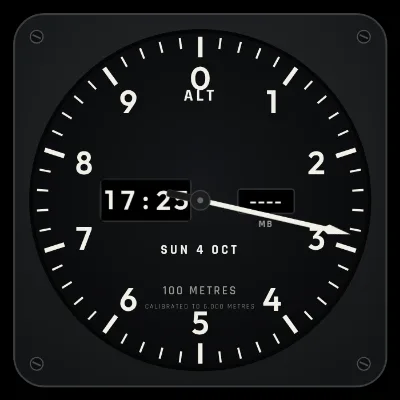
Built like an aircraft altimeter, with an optional wind-up.
Warm glowing digits in glass-style tubes.
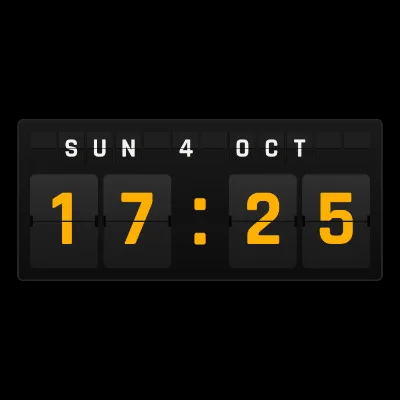
Airport departure-board cards that flip with each minute.
Faces that tell the time in their own way, and a few that react to the aircraft overhead.
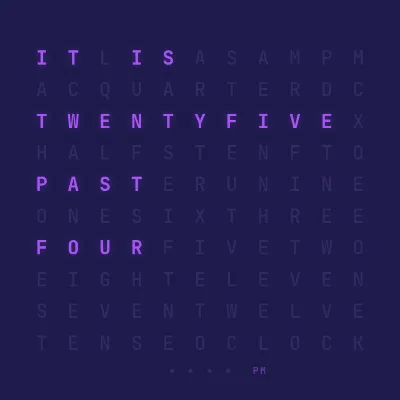
The time spelled out, such as IT IS HALF PAST TEN.
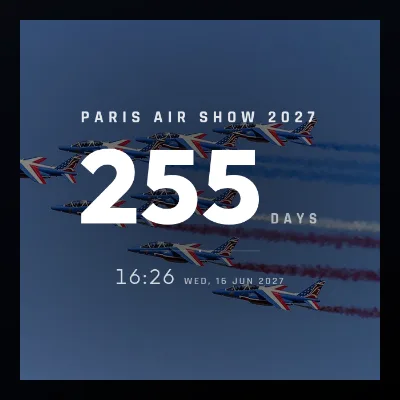
Days or sleeps until the dates you care about, with optional photos.
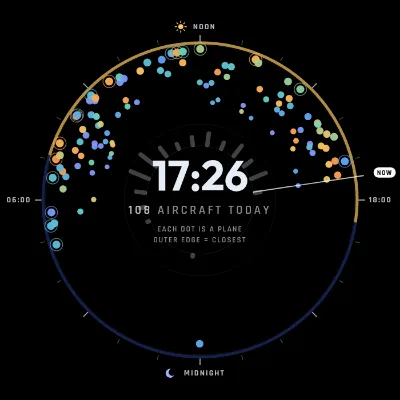
Every aircraft you have seen today, drawn as dots around the clock.
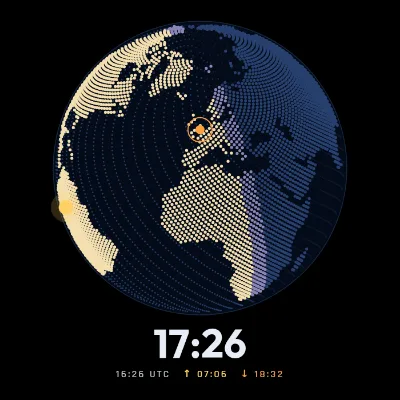
A world map of where it is day and where it is night. The space station can be shown on it.
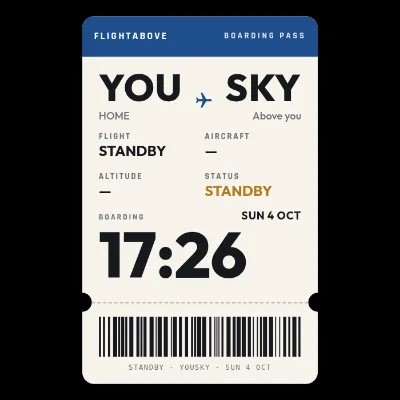
Laid out like an airline ticket, with a coloured header and a barcode.
Boards
Boards show the live aircraft in range. Radar and LED Wall both live under Boards.
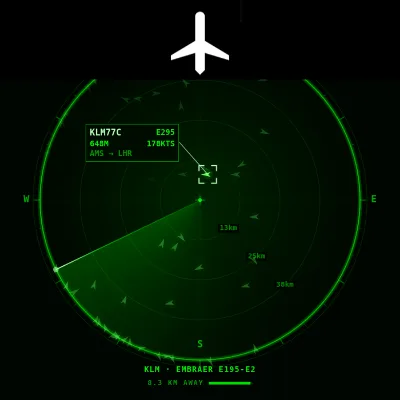
A live radar scope with range rings and a sweep arm. Each aircraft in range is a labelled blip. Choose a map background, the sweep colour, and TV side panels.
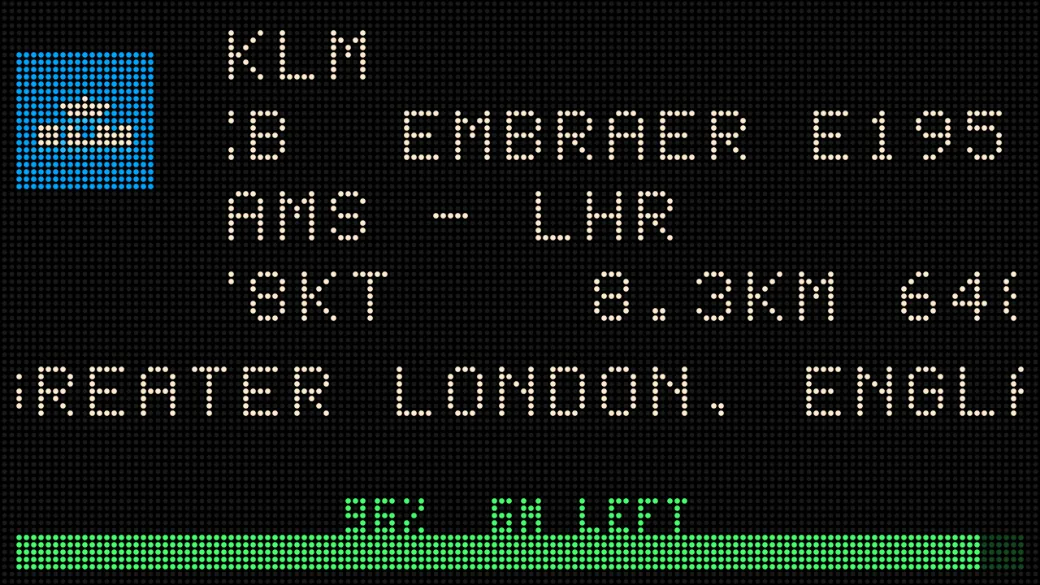
A stadium-style lamp board for TV, Mini and Altitude. Spell out the callsign, the route and the aircraft, or lock onto one flight with Flight Tracker.
See LED WallScenes · Beta
The aircraft flying past appears in the picture, and the scene changes with the time of day. Find them under Scenes.
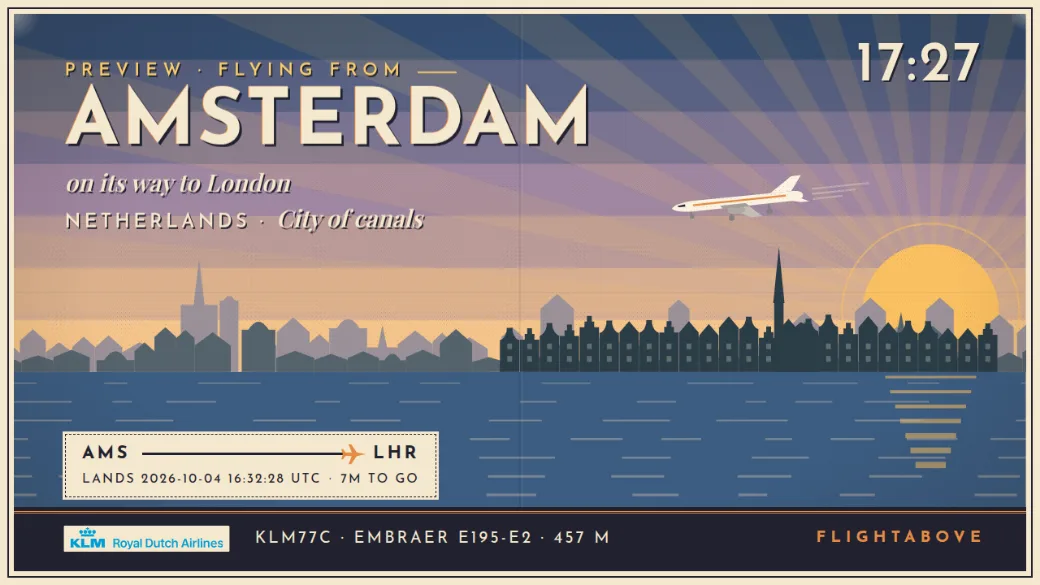
A vintage travel poster for where you live, and for wherever the aircraft overhead is going.
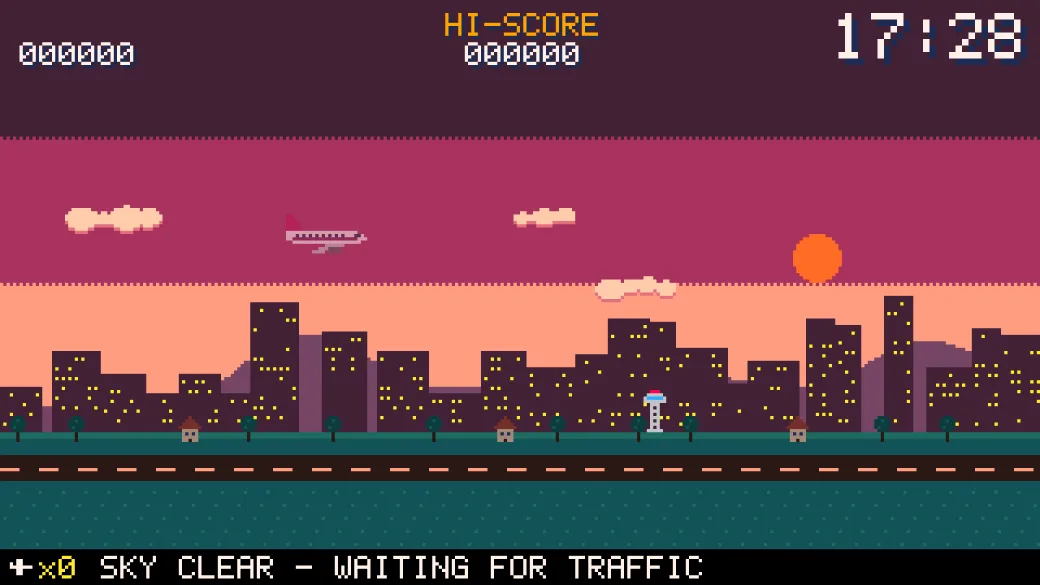
A retro pixel-art game built from real aircraft, with levels from city to seaside.
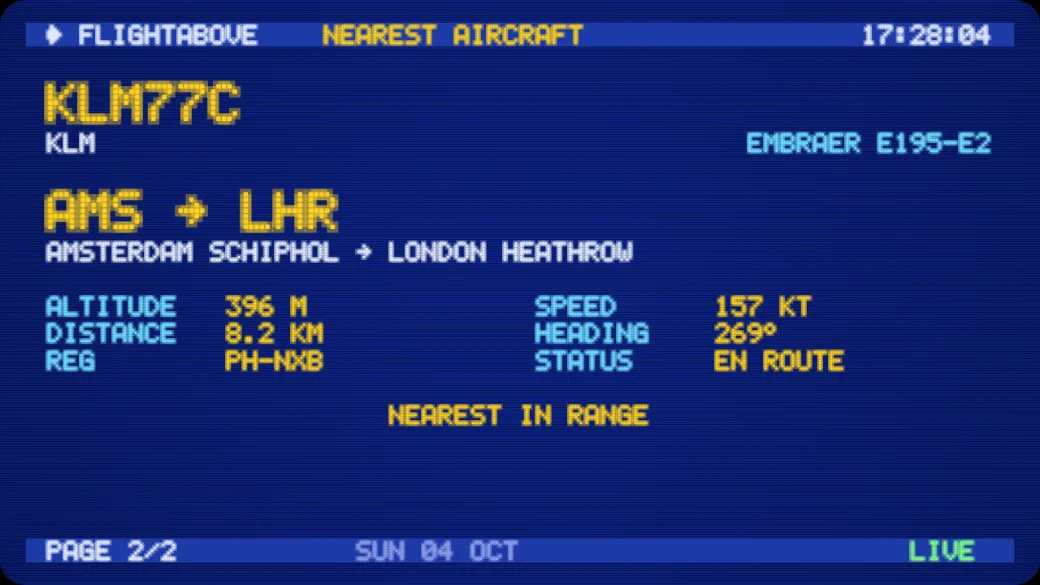
An old airport departures monitor, with scanlines and a curved glass look.
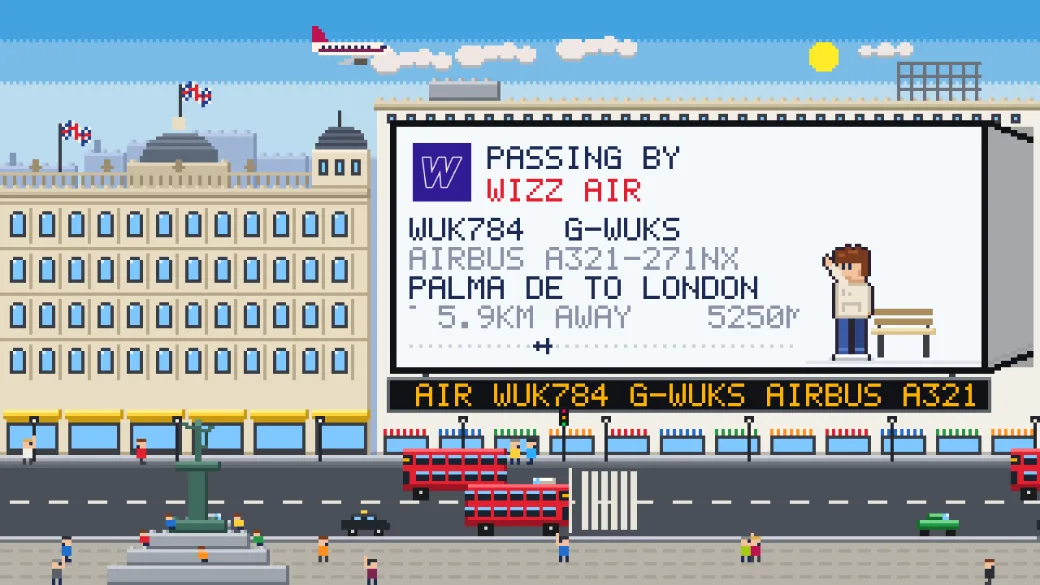
A pixel-art city at night, with the flight on a giant billboard. Piccadilly, Times Square, Route 66, Shibuya or Vegas.
Flight information · Beta
When an aircraft comes into range, its details fill the screen. The layout is separate from the clock face. Face default keeps the layout each look was designed with. Or pick one of these under Face options.
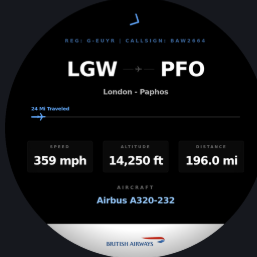
Large airport codes, then speed, altitude and distance.
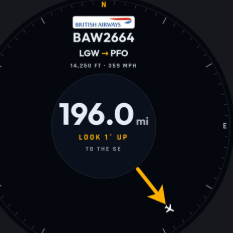
How far away it is, and which way to look.
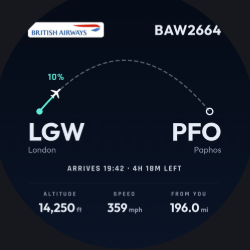
An arc showing how far along the route it is.
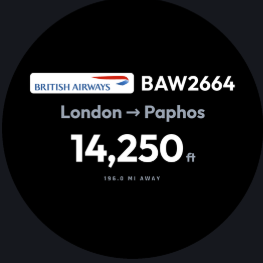
The essentials, readable from across the room.
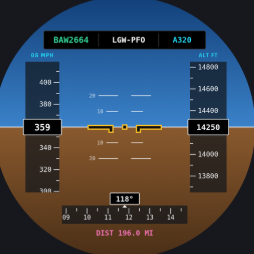
A pilot horizon, with speed and altitude tapes.
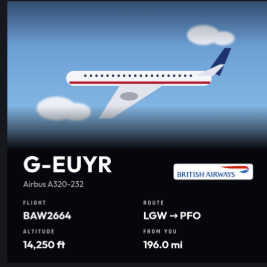
Registration and aircraft type first.
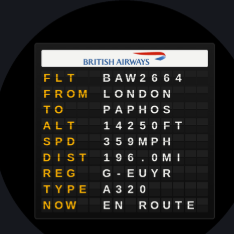
A departure board, line by line.
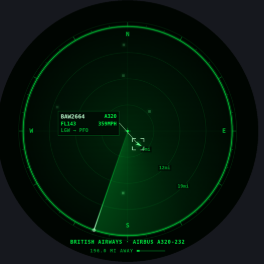
The flight as a blip on a scope.
Filters and detection
Type, height, how soon the same flight can come back, and the units on the readout. The space station can pop up when it passes, and the Day / Night face can show it on the map.
Each type is its own switch.
Commercial
Airlines and scheduled services
Private
General aviation, business jets and light aircraft
Military
Air force, navy and MoD traffic
Helicopter
Rotorcraft. Useful on its own during an air show
A slider from 0 to 60,000 ft. Show aircraft above that line, below it, or switch the filter off and see every height.
Example
Above 4,000 ft
Low-level traffic near a small airfield is a reason to use Below instead.
How long before the same aircraft can appear again. A holding pattern, a local circuit or a regular route will not light the screen on every pass. Set it from off up to 24 hours.
Default · 30 minutes
Speed and altitude, in the measurement you want on the screen.
km/h
Speed
mph
Speed
kt
Speed
Metres
m
Feet
ft, aviation standard
Colour and themes
More than 24 presets, or your own colour for every element. The display recolours as you change it. The times on these cards are examples of the colour, not a live clock.
Night mode, retro amber, matrix, ocean and more.
Hands, face, background and text. A picker, or a hex code.
Ivory, Midnight, Departures, Arrivals and Terminal.
The display takes the colours of the airline overhead.
Black
Classic
White
Clean
Night
Classic
High Contrast
Classic
Light
Minimal
Dark
Minimal
Blue Night
Minimal
Warm Orange
Minimal
Cool Blue
Minimal
Forest
Minimal
Purple
Minimal
Crimson
Minimal
14:30
Night Mode
14:30
Retro Amber
14:30
Matrix
14:30
Ocean
14:30
Crimson
14:30
Minimal
14:30
Gold
14:30
Violet
14:30
Mint
Split Flap is its own face. The mechanical departures-board look has Ivory, Midnight, Departures, Arrivals and Terminal board colours. The cards flip with each minute.
IT IS QUARTER
PAST TWO
Dark
IT IS QUARTER
PAST TWO
Light
IT IS QUARTER
PAST TWO
Night
IT IS QUARTER
PAST TWO
Warm Amber
IT IS QUARTER
PAST TWO
Forest
IT IS QUARTER
PAST TWO
Purple
Every element has its own colour. Use the picker or paste a hex code.
Automatic
Turn it on and the display recolours to the airline overhead. British Airways turns navy and gold. easyJet turns bright orange.
Display toggles
Turn it on, see it on the display, turn it off. The same switches are on the screen and in the web dashboard.
An animated flight path plays when an aircraft is detected overhead.
A photo of that aircraft type appears with the flight.
The carrier logo sits with the flight data.
A plane animation plays when a new aircraft enters your detection zone.
A coloured animation runs around the frame the moment an aircraft is detected.
The display recolours to the airline overhead. British Airways goes navy and gold. easyJet goes orange.
Data bays
Four kinds of slot: the date, live weather, a world clock, and a specific flight. Analogue faces have four, at 12, 3, 6 and 9. Digital faces have two, one above the time and one below. Some faces and scenes hide the bays because the look fills the screen. The data bays guide lists every weather field and the city list.
DEC 27th, Fri 27 Dec, 27 Dec or Dec 27.
Temperature, wind, humidity, pressure and the rest of the local readout.
The time in any of 50 or more cities. The clock follows daylight saving.
A number or a callsign. Status refreshes about every 30 minutes.
Example readouts at 12, 3, 6 and 9.
Above the time
14:30
Below the time
DEC 27th
Example
Scheduling
A daily window for flight detection. Outside those hours FlightAbove stays on as a desk display showing the time and your configured bays, with no aircraft alerts. Useful for quiet nights, or for tracking only while you are at the desk.
Sleep hours, set under Device, rest the screen. Active Hours only decide when aircraft detection runs.
During
Aircraft data updates as planes pass. Alerts you have switched on can sound.
Outside
The time and your data bays stay up. No aircraft alerts.
Example
Start
07:00
End
23:00
Detection runs from 7am to 11pm. At 11pm it switches to the clock and your bays.
Screen, dashboard, apps
01
Press and hold the screen on Mini, Altitude or Horizon, or open the FlightAbove web dashboard in any browser.
02
Pick a face, a flight layout or a theme. Filters, data bays and Active Hours are in the same place. Every change saves on its own.
03
The sky stays live. Save a profile if you want another setup ready. iOS and Android apps are coming soon.
On-screen controls cover faces, flights, alerts and device settings. Live flight alerts light the screen for a squawk, military traffic or a watchlist match. You can save more than one profile and switch between them.

Web dashboard · any browser
Who it is for
The same settings. One of you wants the spotter layout and a radar scope. The other wants a present that already looks like their desk.
Aviation
A gift
Before you decide
On Mini, Altitude and Horizon, press and hold the screen, or double-tap, and the controls open right there. Every model can also be set from the FlightAbove web dashboard in any browser. Changes save as you go. iOS and Android apps are coming soon.
Analogue faces including Classic, Minimal, Pilot and GMT Master. Digital faces including Bold, Stacked, Avionics, Orbit, Altimeter, Nixie Tubes and Split Flap. Plus Word, Countdown, Today's Sky, Day/Night and Boarding Pass. Boards cover Radar and LED Wall. Scenes cover Postcard, Arcade, CRT and Living PixelBoard.
Yes. Under Face options you can leave Face default, or pick Classic, Compass, Journey, Glance, Cockpit, Spotter, Boards or Radar. The layout is separate from the clock face.
Aircraft type (commercial, private, military, helicopter), an altitude threshold above or below a height you set, a cooldown so the same flight does not keep reappearing, plus speed and altitude units.
Information slots around the face. Date, live weather, world clocks and a specific flight. Analogue has four bays. Digital has two, one above and one below the time. Some faces and scenes hide data bays because the look fills the screen.
A daily window for flight detection. Outside those hours FlightAbove stays on as a desk display showing the time and your configured bays, with no aircraft alerts.
No. You can set FlightAbove on the screen itself, or from the FlightAbove web dashboard in any browser. iOS and Android apps are coming soon for anyone who wants one.
No. Hardware is a one-time purchase and includes the software. Cloud is the optional browser subscription if you already have a screen.
Pilot, GMT Master, several digital faces, the Radar board and the scenes are marked Beta. They are on the device and you can use them. We are still refining them.
Produced in the United Kingdom. Allow 5 to 7 business days before dispatch, then courier transit.
More to explore: On-screen controls · Data bays · LED Wall · Ask us
Set the look. Leave the sky running.
Faces, boards, scenes, flight layouts, themes, filters, data bays and Active Hours. Hardware paid for once. Produced in the United Kingdom.
From £99.00 on hardware