
Lower cost
The easiest way in
£99.00 once. Mini is £175.50. Altitude is £299.99. You are buying the box that drives a screen you already have.
Plug into the TV you already own
FlightAbove Connect plugs into a television or monitor you already have and names the aircraft overhead. The flight, the airline, the type, a photo, the route. You pick the screen, so you pick the size. Paid once. No monthly fee.
It arrives ready. FlightAbove is already on it. A gift for someone who looks up, or the spare screen that finally has a job. If the TV has speakers, alerts can play through them.
Now at checkout, along with cards, Google Pay, and Amazon Pay.
One payment · no subscription · produced in the UK
On your TV
Live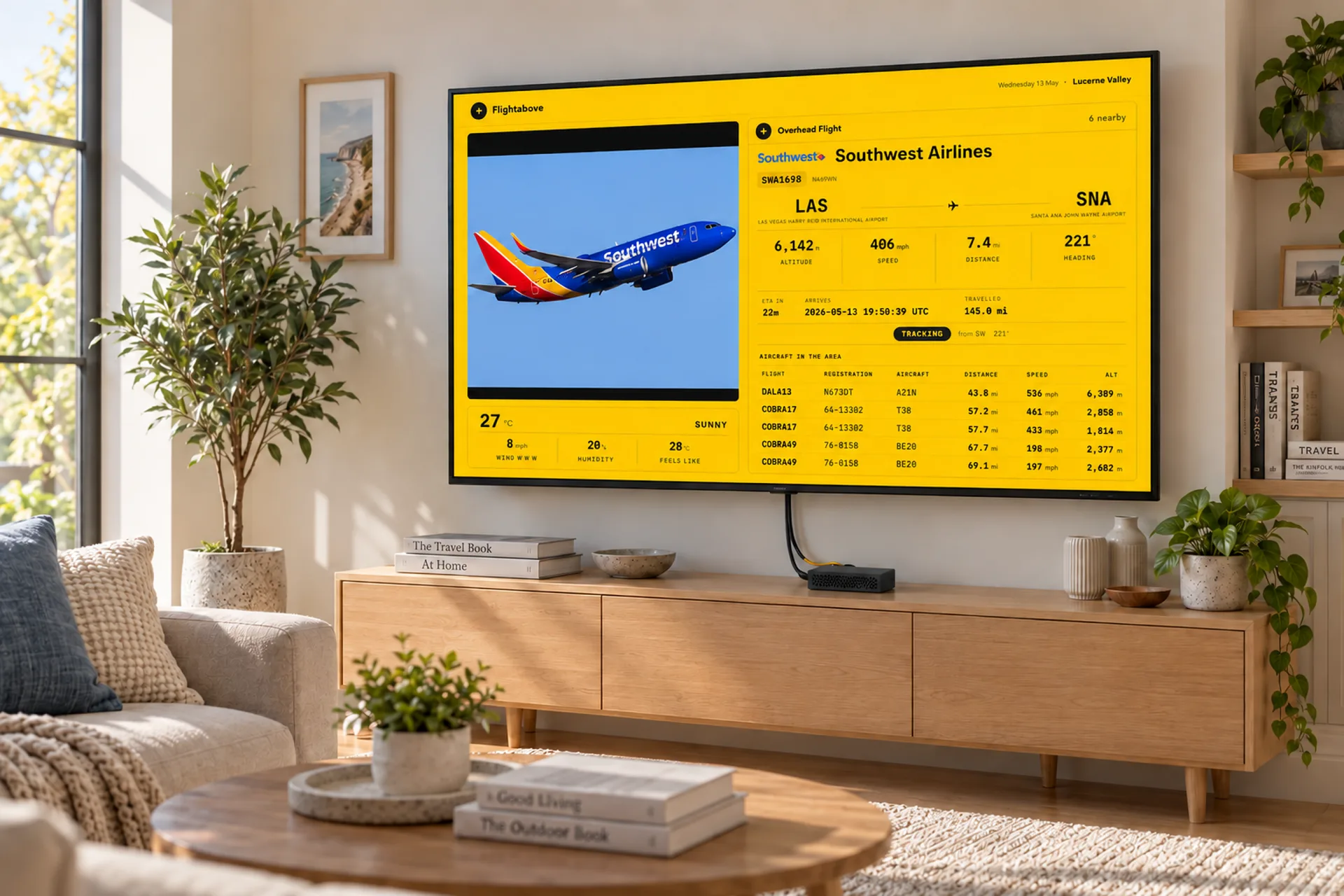
What Connect is
Mini, Horizon and Altitude include a display. Connect uses the television or monitor you already have, which is why it is the lowest price. Same sky: a photo of the aircraft, the map, clock faces, weather, and the departure-board look. FlightLog sits in your dashboard.
Lower cost
£99.00 once. Mini is £175.50. Altitude is £299.99. You are buying the box that drives a screen you already have.
You decide
A desk monitor or the living-room television. Move it when you want. The box stays the same. The picture is as big as the screen you plug it into.
Same sky
Lock one flight and leave it up. LED Wall if you want the board. An ISS look-up when the station is overhead. Click the picture with a mouse, or change it from the dashboard in any browser.
Callsign
KL601
Route
AMS to LAX
Type
B787
Photo
The actual type
Map
Live track
Quiet sky
Clock and weather
LED Wall
A mode, included
You bring
A TV with HDMI
Who it is for
The spare monitor becomes the approach. Callsign, type, photo, route. Lock the flight you are waiting for and leave it up.
They already have a television. You are giving the names on it, not another gadget to find a shelf for. Paid once, produced in the United Kingdom.
The sound of the house finally has a name, an airline and a route. Big enough to read from the sofa.
Where it actually lives
Connect is for a screen that is already there. A leftover monitor, a television that is on anyway, a meeting room, a reception wall. One box. Plug it in.
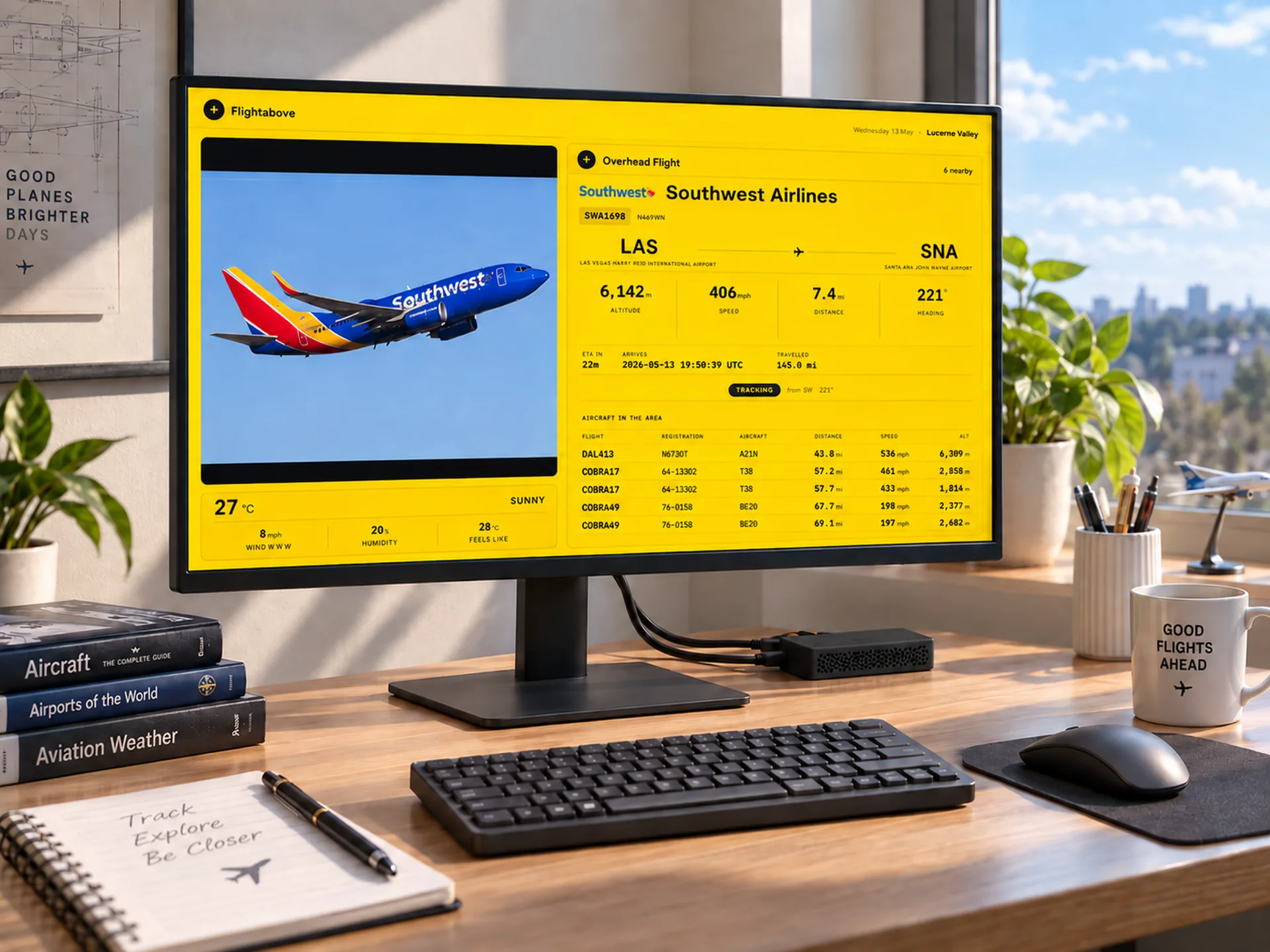
At home
Study, flight sim, or the second screen next to a laptop. You can read the flight from the chair. No extra panel to find a shelf for.
Living room
Bigger than any desk display. Photos and the route, large enough to read from the sofa. Plug it in and leave it running.
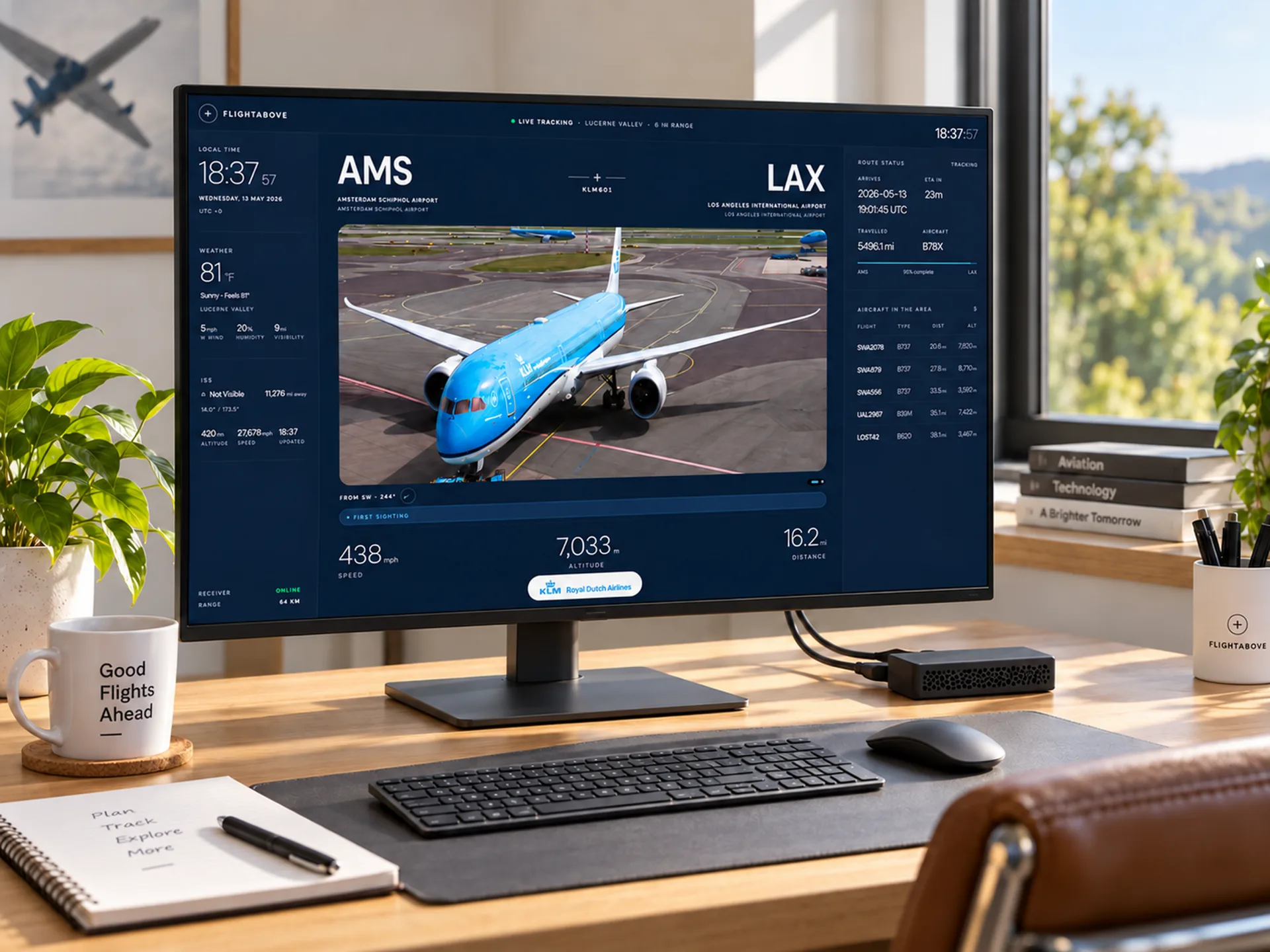
Home office
A monitor at the end of the desk. The flight name and the route, without picking up a phone. A clock and the weather when the sky is quiet.
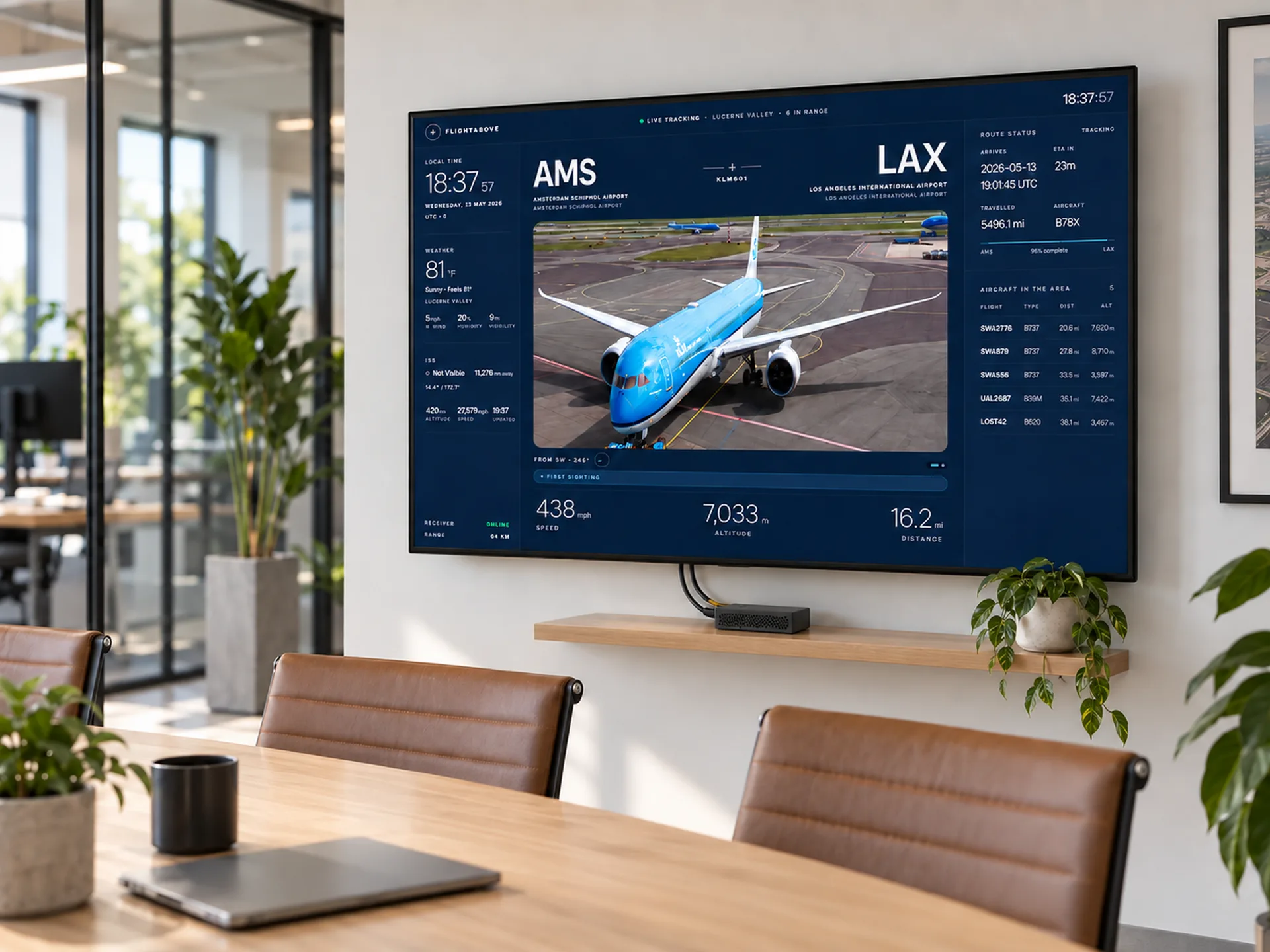
Office and foyer
Meeting room, reception, club, hangar office. A screen that was sitting black becomes live traffic.
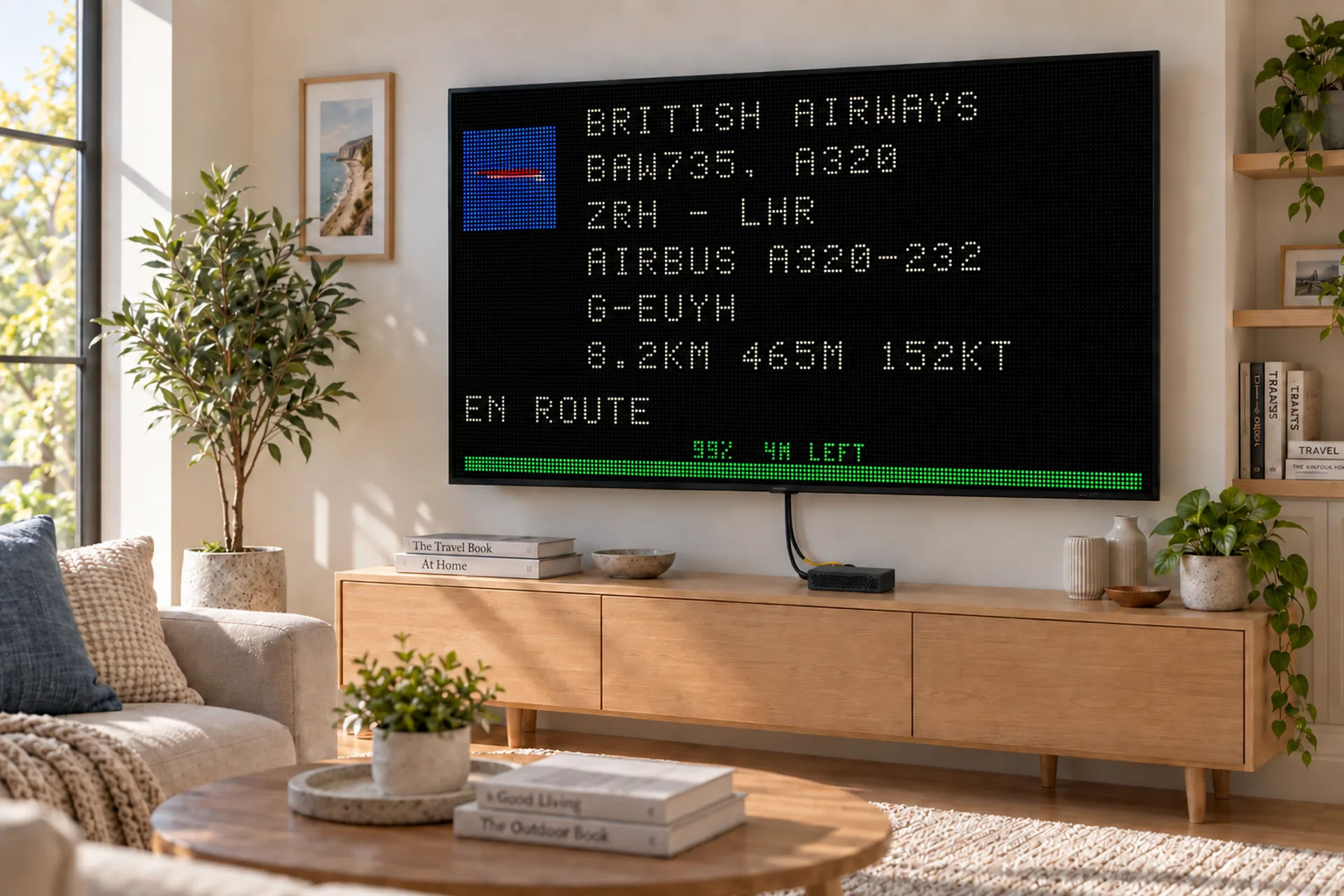
The board look
Airline, callsign, type and how far is left, on a panel the size of the room. Switch back to photos and maps whenever you like.
How LED Wall works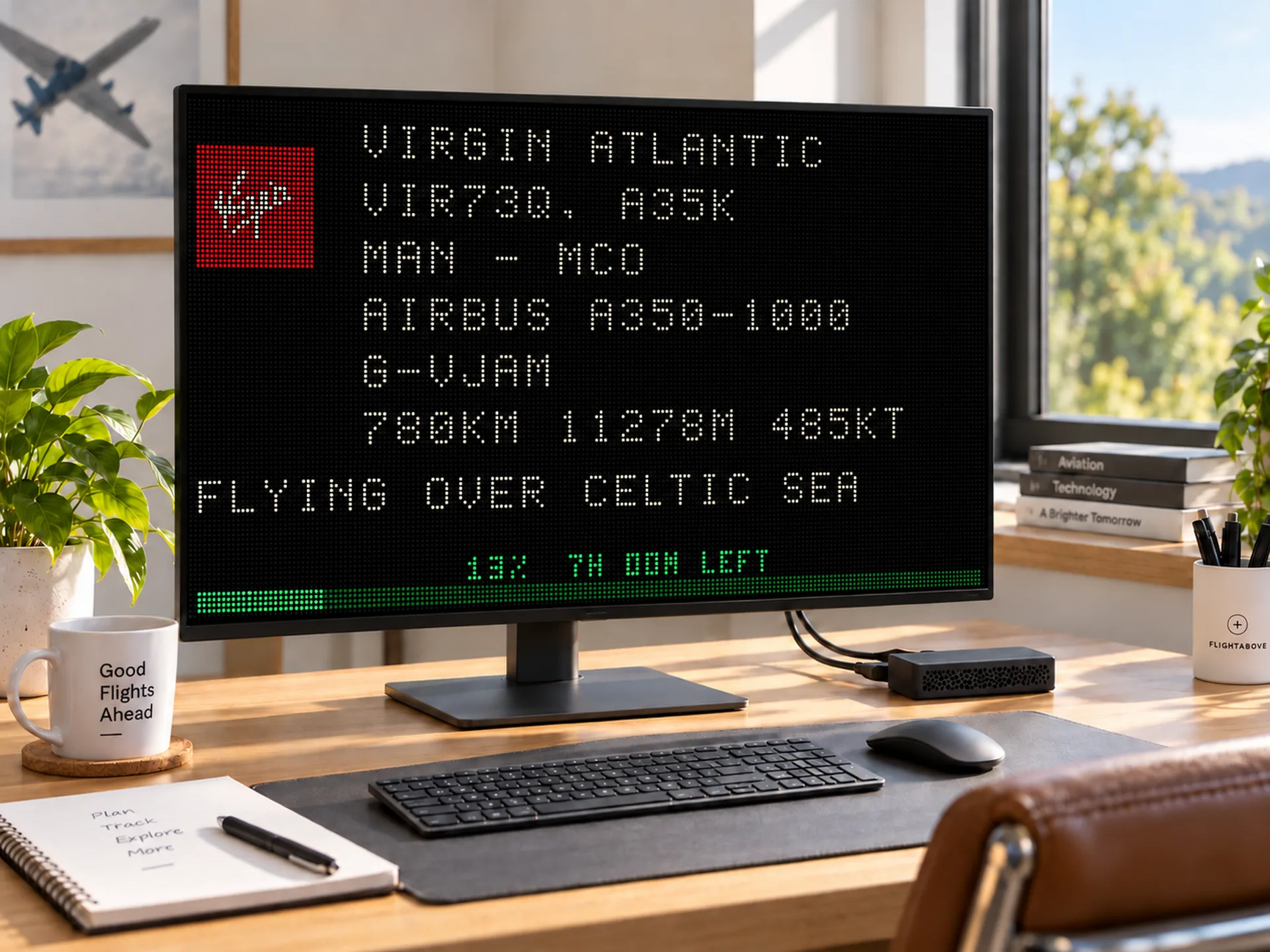
One flight
Waiting on a tail, a flight number or a callsign. The board keeps that aircraft until it is down. Nearby traffic does not take the picture.
Faces and looksOn the TV
LiveLive, in this page
Full detail, radar, or the board. Switch whenever you like. The board look is included. It is not a second thing you have to buy.
On your television
Connect has no touchscreen. Click the picture with a mouse and the controls open on the television or monitor, the same Faces, Flights, Alerts and Device menus as the desk displays. A change saves on its own. The dashboard in any browser still sets it too.
Click the screen. There is nothing to press and hold, because the screen is the one you already own.
Brightness, screen off, sleep, the flight map, photos and 12 or 24 hour time.
Alerts play if the television or monitor has speakers. Live ATC is there for supported airports. UK airports are not included.
The web dashboard sets the same device, including when you are away from the room.
From the box
No app to install. Click the picture with a mouse to change the look, or use the dashboard in any browser. If the WiFi drops, Connect keeps the last picture and joins again on its own.
01
Plug Connect into the HDMI port on your TV or monitor, then plug the USB-C power cable from the box into your own USB or USB-C supply, capable of 5.1V at 2.5 amps.
02
Scan the QR code on the card in the box. That opens your dashboard, where you enter your WiFi.
03
Connect finds where it is and starts naming the aircraft overhead. You can change the look later.
In the box: Connect with FlightAbove already on it, a 3D printed case, a USB-C cable, and a quick-start card. You provide the TV or monitor, and an HDMI cable.
If you want the screen included
Connect is the lowest one-time price, because the screen is yours. Mini is the 4 inch square. Horizon is the 7 inch widescreen, with the desk display included. Altitude is the 5 inch one most people choose. Cloud is £3.99 a month if you would rather not plug anything in.
The facts
The sky, not the postcode
Connect shows aircraft that are sharing their position. That is most places in the world, and it is fullest over Europe and North America. The box is produced in the United Kingdom. The sky is not limited to the UK.
From people who own one
4.7 from 9 verified reviews
5 out of 5
"This "FlightAbove Mini" is very good. Rather than have to look up a well known flight tracker app on my Mobile Phone every time, this sits beside my chair and is on 12 hours a day. I got stuck with the initial setup but Customer Service were excellent and understanding. They gave me all the help I needed. At 4 inches the screen is small making some text hard to read. There are multiple screen options though and with a bit of trial and error, I found one setup which suited my eyes. Do I regret buying this item? Definitely no!! I'm sure there will be updates to come which can only improve this excellent piece of kit for Aviation Geeks 🙂."
5 out of 5
"I live under the Heathrow approach and for years I have been gazing up trying to identify aircraft. Now the answer is on my desk. I still look up, then I look down to check."
James
Under the Heathrow approach
5 out of 5
"Setup took about a minute. Plugged in, connected to WiFi, and it started showing planes. My husband spotted his old airline within a few minutes. Easy gift, no homework for me."
Sarah
Bought as a gift
5 out of 5
"Bought it for my dad. Build quality is solid and he had it running the same evening. He still texts photos of random airliners like I am meant to know what they are."
Emma
Bought as a gift
How you can pay
Connect is one payment. At checkout you can use Klarna or Clearpay, or a card, Google Pay, or Amazon Pay. Clearpay is for UK deliveries.
Now at checkout, along with cards, Google Pay, and Amazon Pay.
Questions before you plug in
Connect is the FlightAbove you plug into a TV or monitor you already own. It names the aircraft overhead: the flight, the airline, the type, a photo, the route. You choose the screen and the room. It is the lowest-priced FlightAbove you can buy.
Any TV or monitor with an HDMI port. A spare desk monitor, a living-room television, a meeting room, or a foyer display. You bring the HDMI cable. A USB-C power cable is in the box. You need your own USB or USB-C power supply, capable of 5.1V at 2.5 amps.
Mini and Altitude include their own display. Connect does not. You already have a TV or monitor, so you pay for the tracker, not another screen. Same live aircraft. One payment.
Mini is a 4 inch square for the desk. Horizon is the 7 inch widescreen, with its desk display included. Altitude is the 5 inch round one most people choose. Connect plugs into a TV or monitor you already own. Click the picture with a mouse to open the controls on that screen. The dashboard still sets it too.
Connect is a box you buy once. FlightAbove is already on it, ready to plug in. Cloud is a monthly page for a laptop, tablet or TV, with nothing to plug in. Same sky. Different way to run it.
No. Connect is a one-time purchase. Live aircraft, the looks, FlightLog and updates are included.
Yes. Hardware checkout accepts Klarna and Clearpay, plus cards, Google Pay, and Amazon Pay. Clearpay is available on UK deliveries.
Yes. If aircraft overhead are sharing their position, Connect can show them in most places worldwide. Coverage is fullest over Europe and North America. Produced in the United Kingdom is where the box is made, not a limit on the sky.
Connect with FlightAbove already on it, a 3D printed PLA+ or PETG case, a USB-C power cable, a loaded memory card, and a quick-start card. You provide the TV or monitor, an HDMI cable, and a USB or USB-C power supply capable of 5.1V at 2.5 amps.
Yes. A 4K set works. Connect sends a full HD picture, which is plenty to read from the sofa.
The Connect case is 3D printed in PLA+ or PETG. Fine layer lines are part of the finish. It is assembled and tested before it ships.
Produced in the United Kingdom. Allow 5 to 7 business days before dispatch, then courier transit. We email you as it moves.
Yes. Click the picture with a mouse and the controls open on the TV. Brightness, screen off, sleep, the map, photos and the clock are there, plus Faces, Flights, Alerts and Device. Alerts play if the TV or monitor has speakers. The dashboard in any browser still sets it too.
Yes, if they already have a TV or a spare monitor and they look up when a plane goes over. You are giving the names, not another screen to find a shelf for. Paid once. Produced in the United Kingdom.
Still unsure? Quality and finish · Ask us
Ready
Plug into a TV or monitor you already own. Photos, the route, a clock and the weather. One payment. Produced in the United Kingdom.
£99.00 once
One payment · no subscription · 5 to 7 business days before dispatch
Now at checkout, along with cards, Google Pay, and Amazon Pay.
FlightAbove Connect
£119.99 £99.00 · one-time