
Connect · TV
Living-room distance
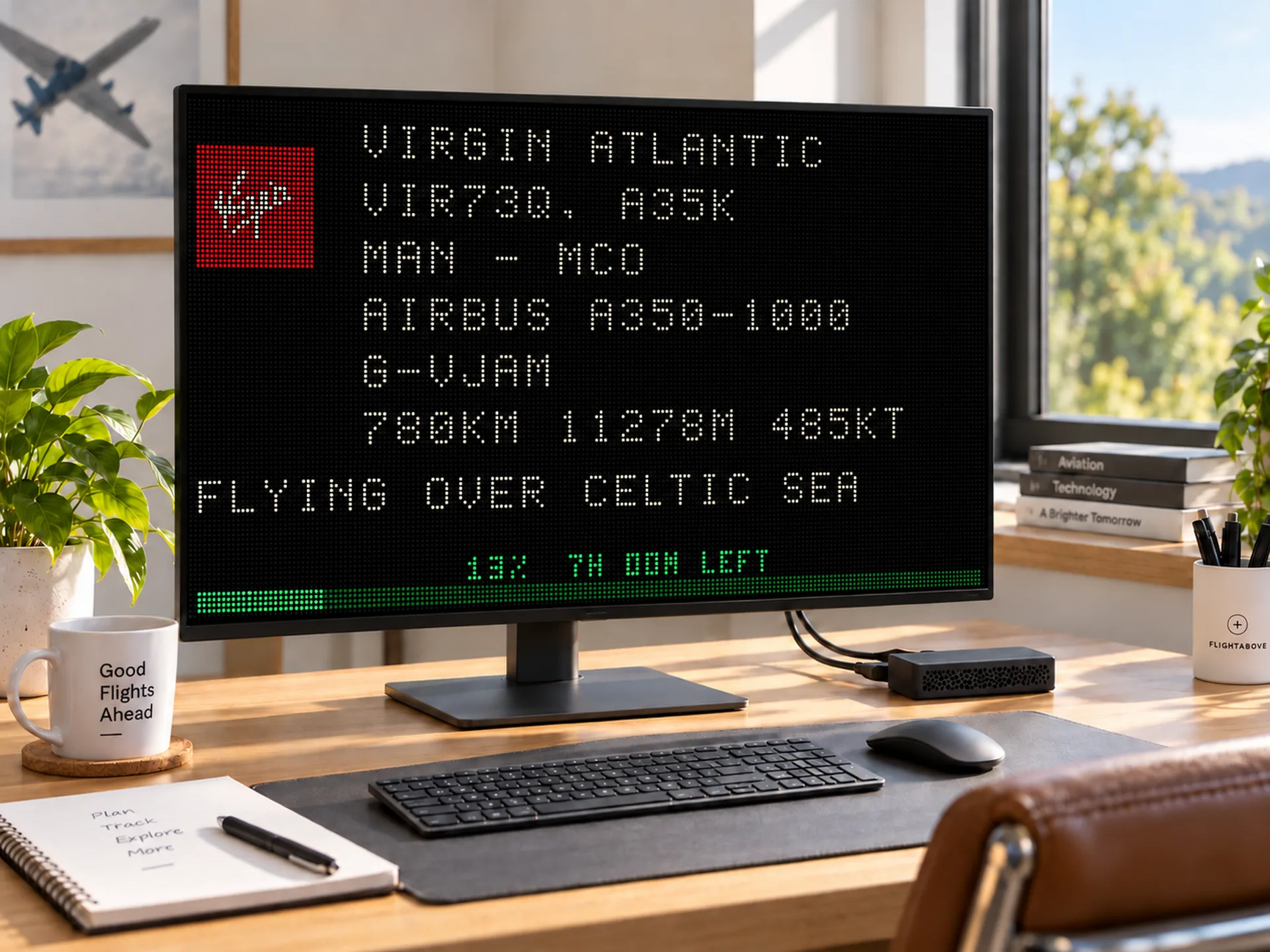
Plug Connect, a Raspberry Pi 4 with FlightAbove already on it, into HDMI on a TV you already own. The 16:9 board is meant to be read from the sofa.
Live on this page
LED Wall is a live LED-style flight display: airline, route, altitude, speed, and a lock on one flight, in the classic board style. It is a mode of the full tracker, so the same device can still show radar, clocks or FlightLog.
Same software on a 16:9 TV, a 4 inch square Mini, a 7 inch Horizon, or a 5 inch circular Altitude. Hardware paid once. Cloud if you already own the glass.
Live · 1920 x 1080
What it is
LED Wall turns FlightAbove into a classic departure board. Aircraft broadcast ADS-B. We filter that live picture to your window, then paint it as a high-contrast LED board you can read from the sofa, the kitchen, or the corner of a desk.
Airline tile, callsign, route, type, distance, altitude, speed and heading, plus a green progress bar. When the International Space Station is up, the board can switch to LOOK UP.
LED
Board you can read
ISS
Look up overhead
4
Screens: TV, Mini, Horizon, Altitude
Once
Hardware payment
In the room
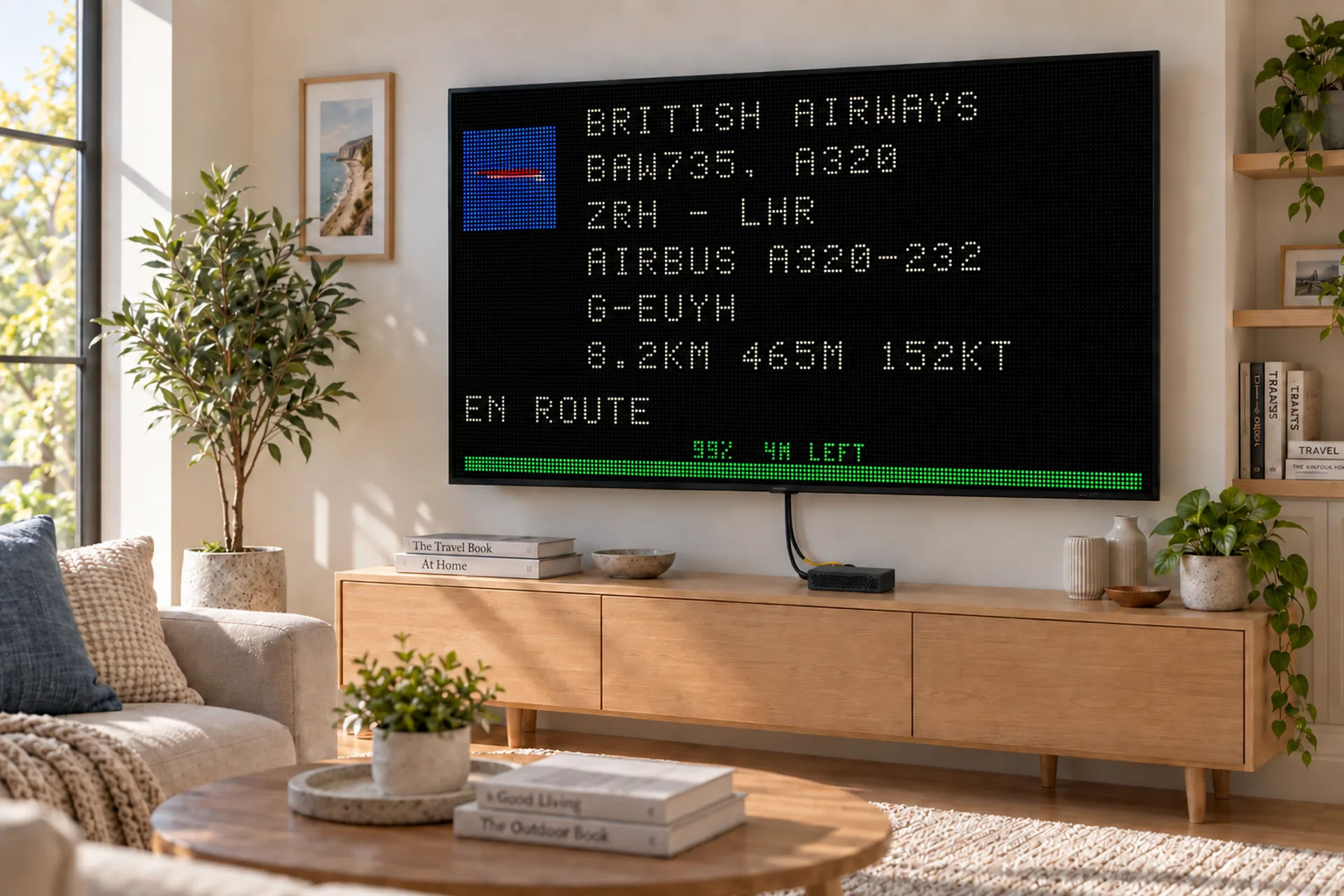
The board at the top of this page is live. These photos are the objects: Connect on a television, Mini on a desk, Horizon on the widescreen, Altitude on a shelf, and the ISS look-up on the same circular display.
Connect · TV
Plug Connect, a Raspberry Pi 4 with FlightAbove already on it, into HDMI on a TV you already own. The 16:9 board is meant to be read from the sofa.
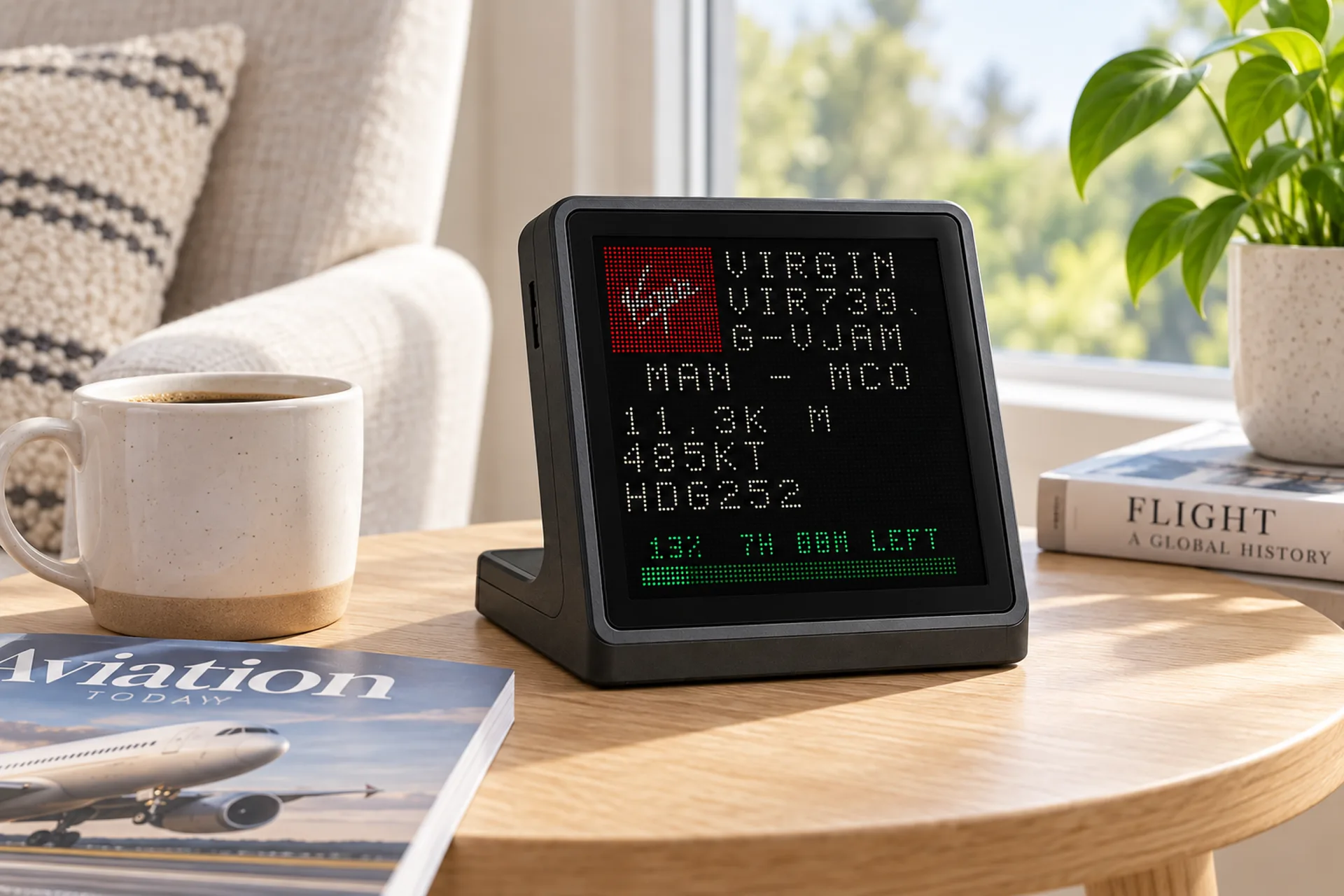
Mini · 4 inch square
Same LED Wall mode, stacked for a square IPS. Callsign, route and remaining distance on a desk object you can leave running. Locked here on Virgin Atlantic VIR73Q.
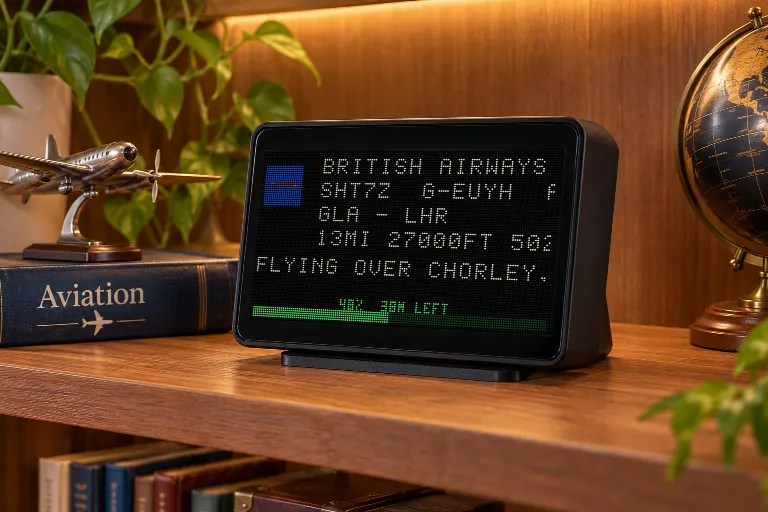
Horizon · 7 inch
The 7 inch widescreen. LED Wall has room for the board and the flight beside it. This unit is following British Airways SHT7Z from Glasgow to Heathrow.
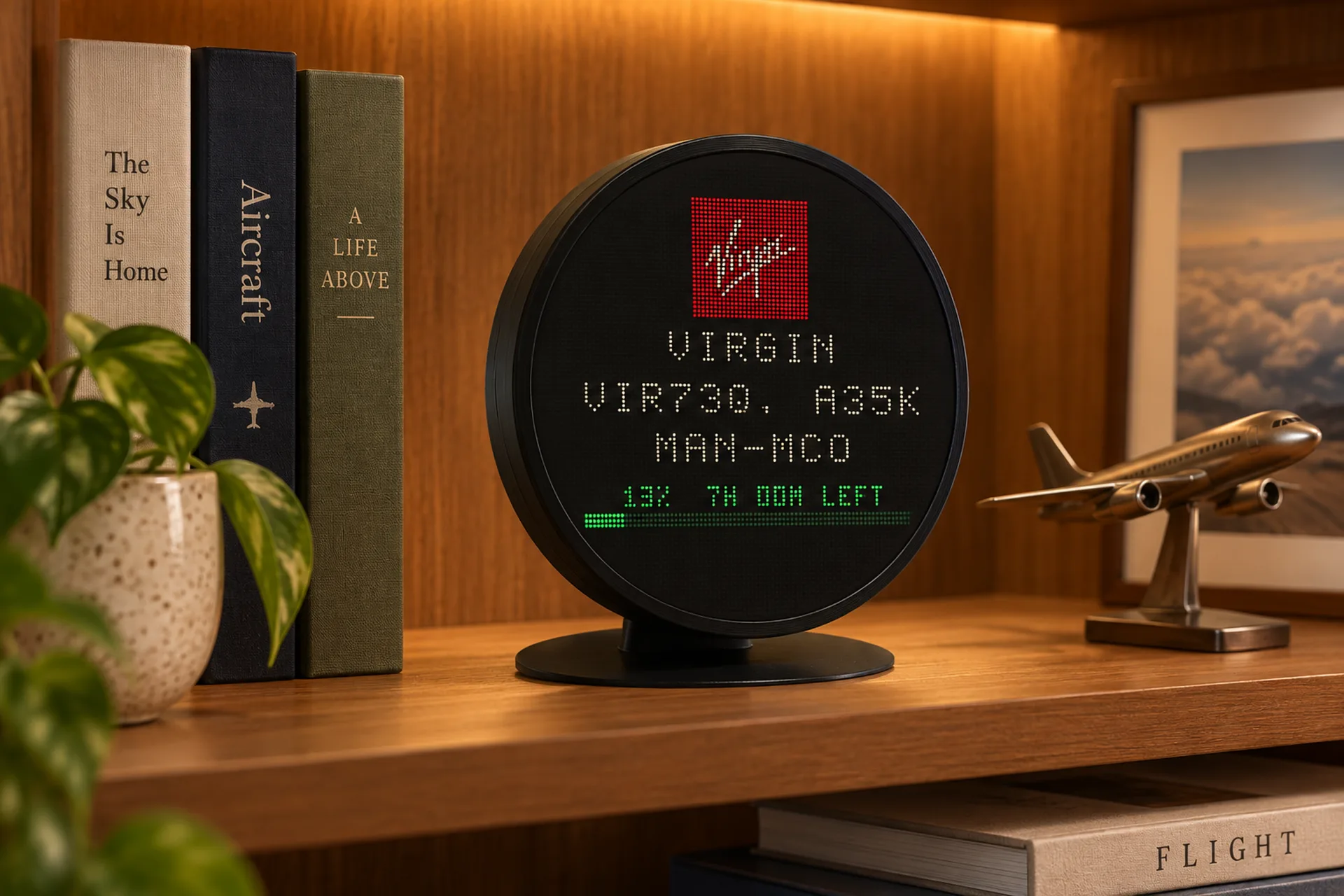
Altitude · 5 inch circular
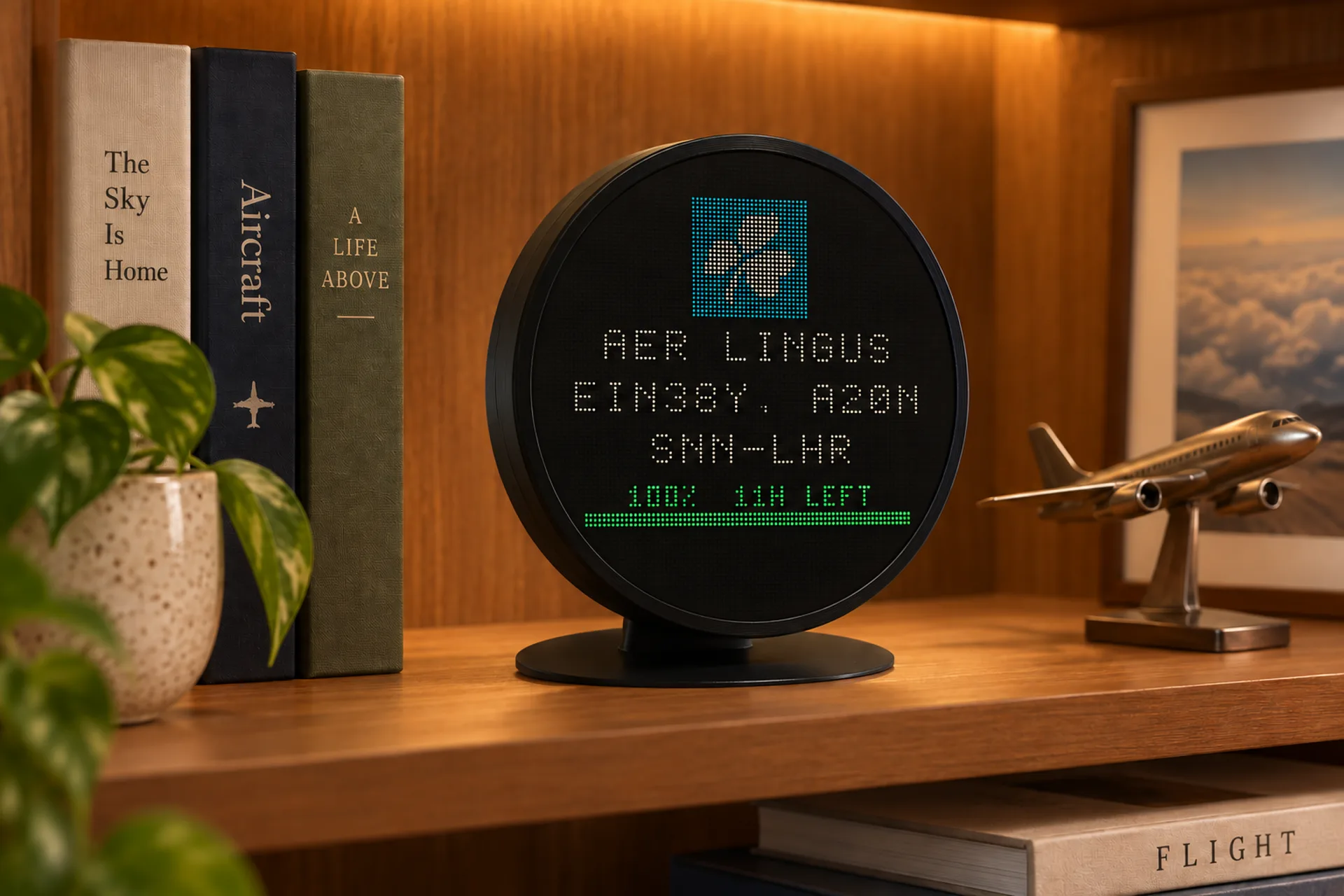
The current Altitude. LED Wall is composed for a round IPS, with airline, callsign and remaining distance held in the circle. Locked on Virgin Atlantic VIR73Q.
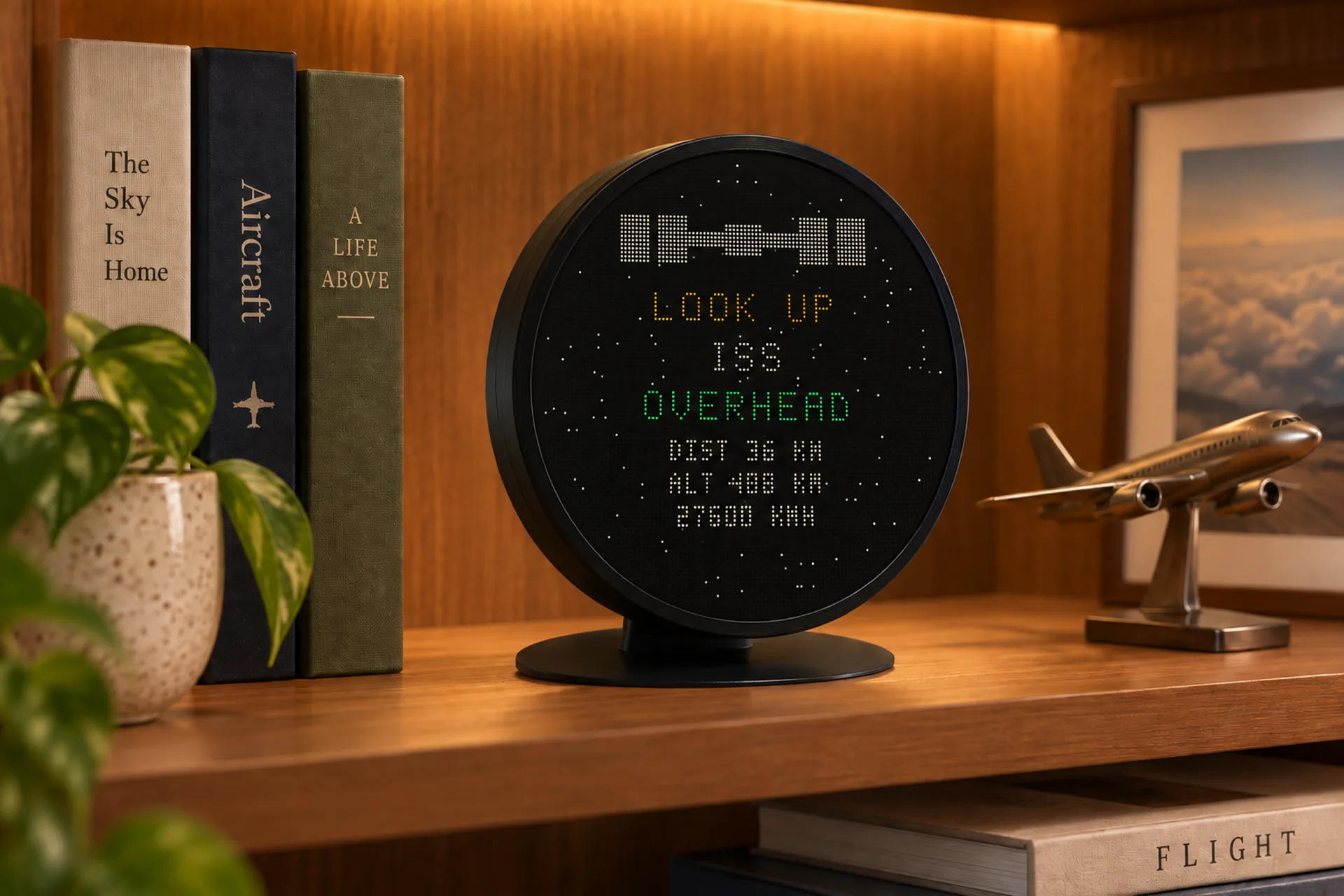
ISS look up
Same LED Wall mode. LOOK UP, ISS, OVERHEAD, distance, altitude, speed and whether it is visible.
The idea
LED flight display
A flight wall, or LED aircraft display, is a screen that treats live traffic like airport signage. High contrast. Short labels. Numbers you can catch while the kettle boils. FlightAbove LED Wall is that look, on a device that is still a full tracker underneath.
A dedicated LED panel does one job. FlightAbove can stay on that board, on the hardware you actually want: television, square Mini, widescreen Horizon, or circular Altitude.
Want the data story first? How aircraft tracking works covers ADS-B, networks, and why a display can know what is overhead.
The rich picture
The board is an LED-style layout on IPS, TV or browser. Airline tile, callsign, route, type, then the live numbers: distance, altitude, speed, heading, progress, and the place it is flying over.
A pixel airline mark sits beside the name. British Airways, TAP Air Portugal, Singapore Airlines. You read the carrier before you read the numbers.
BAW517. TAP1366. SIA318. The ident on the board is the one you hear on the radio and log in FlightLog.
LIS to LHR. SIN to LHR. FFO to LHR. Under that, the airframe: A320-232, Airbus A320-251N. A green bar shows how far the flight has run.
Live height on the matrix, in metres on the board. Climbing out, in the cruise, or 3 miles left to run.
Ground speed in km/h, written as LED digits you can catch from across a room. 256. 382.
HDG 270 on the Mini. The aircraft is going somewhere. The board tells you which way.
511 m away, or 11 km. Then the overflying line: OVER LAMBETH, ENGLAND. A long-haul is a place, not a code in empty air.
When the station is overhead the matrix changes: LOOK UP, ISS, OVERHEAD, distance, altitude, 27600 km/h, VISIBLE. Same LED Wall. Different sky object.
Lock the wall to a tail, a flight number or a callsign. Nearby traffic stays off the board. Your filters still apply. A clear gift for someone who meets arrivals.
Meeting someone off a flight is the everyday version of the lock. See the gift page.
Flight Tracker
Flight Info is for the sky you can see. Flight Tracker is for the flight you care about. Enter a tail number, a flight number or a callsign. FlightAbove finds the live match and holds the LED Wall on that aircraft.
Nearby traffic stays off the board. Progress, arrival time and where it is flying stay until the flight ends or you unlock it. Useful for a family arrival, a Wednesday widebody, or the registration you have been waiting to log. Up to three flights on the Tracker HUD is a different mode, on the flight tracker display.
Pick the glass
16:9 television
The widescreen LED board. Connect is a Raspberry Pi 4 with FlightAbove already on it, plugged into HDMI on a TV or monitor you already own. Cloud is the same board in a browser on a TV, monitor or tablet you already own.
4 inch square
A dedicated desk object. LED Wall is cropped to a square so callsign, route and four metrics stay readable at arm's length. Visual first, all-in-one.
7 inch widescreen
The desk widescreen. LED Wall has room for the board and the flight beside it. Same lock, same ISS look-up. The desk display is included.
5 inch circular
The desk centrepiece, with sound. LED Wall is composed for a round IPS. Photographs, maps and radar live on the same glass when you want more than a panel.
An honest LED flight wall
Plenty of LED aircraft displays do area tracking and a short list of flights. FlightAbove LED Wall can stay on that classic board, then go back to radar, a clock or FlightLog on the same device. The screen difference, from a 64 by 32 board to a 128 by 64 board, is set out in flight display vs an LED matrix.
| What you get | FlightAbove LED Wall | Typical LED flight wall |
|---|---|---|
| Live ADS-B nearby | Yes, filtered to your window | Yes, radius or drawn area |
| Lock one flight | Tail, flight number or callsign | Often a short list of idents |
| Identity on the board | Airline, tail, type, route, times | Usually alt, speed, track, climb |
| Screen shapes | TV 16:9, Mini square, Horizon 7 inch, Altitude round | One or two fixed LED panel sizes |
| Other faces | Radar, clocks, bays, FlightLog | LED board is the product |
| Setup | Dedicated dashboard in any browser | Often a phone app and 2.4 GHz only |
| Hardware bill | One-time on Mini, Horizon, Altitude and Connect | One-time on the panel |
| Already own a TV? | Cloud subscription, cancel any time | Buy another panel |
Leave it on the wall if that is the look you want. Radar, clocks and FlightLog stay on the same device. The wall is a mode.
The facts
Before you decide
An LED Wall is a live LED-style flight display you can read from across a room: airline, callsign, registration, route, altitude, speed, heading and more. FlightAbove LED Wall turns Mini, Horizon, Altitude, Connect or Cloud into that classic board. It is a mode of the full tracker, not a separate single-purpose panel.
A dedicated LED flight wall is usually one hardware size with one job. FlightAbove LED Wall is a mode on a full tracker. You get the classic board on a 16:9 TV, a 4 inch square Mini, a 7 inch Horizon, or a 5 inch circular Altitude, plus radar, clock faces, FlightLog, filters and your dashboard. Hardware is a one-time purchase. Cloud is optional if you already own a screen.
The LED-style board shows an airline tile and name, callsign, route, aircraft type, distance, altitude, speed, heading, a green progress bar, remaining distance, and the place the aircraft is flying over. You can also lock the board to one flight, and the same wall can switch to an ISS look-up when the station is overhead.
Yes. Flight Tracker mode locks the wall to one flight. Search by tail number such as G-EUUU, flight number such as VS75, or callsign such as BAW482. Nearby traffic will not take over the display while that flight is live.
Yes. FlightAbove Connect is a Raspberry Pi 4 that plugs into HDMI on a TV or monitor you already own. FlightAbove Cloud opens in a browser on a smart TV, spare monitor or tablet. LED Wall is designed to stay readable at 16:9 living-room distance.
Yes. Mini is the compact 4 inch square desk display. Horizon is the 7 inch widescreen. Altitude is the 5 inch circular desk centrepiece. All three run the same LED Wall software, laid out for the screen so the metrics stay glanceable.
No extra fee for the mode itself. Mini, Horizon, Altitude and Connect are one-time purchases and include live ADS-B data. Cloud is the optional browser subscription, from £3.99/month, if you want LED Wall on a screen you already own.
Aircraft broadcast ADS-B with position, altitude, speed and identity. FlightAbove filters that live network to your location and viewing direction, then draws the result as an LED board. Updates stay current without unlocking a phone.
Yes. LED Wall is one mode. Stay on the classic board if that is all you want, or switch to radar, analogue, digital, word, countdown or bay grid from your dedicated dashboard. Your device is not locked to a single look.
Yes. When the ISS is overhead the matrix can switch to a look-up board: LOOK UP, ISS, OVERHEAD, distance, altitude, speed and whether it is visible. Same LED Wall mode. A different object in the sky.
FlightAbove uses your normal home Wi-Fi and is configured in your dedicated dashboard, in any modern browser. There is no separate phone app to install, and you are not limited to a single radio band for setup.
Yes. The television at the top of this page is a live LED Wall at 1920×1080, the size the 16:9 board is designed for. Photos further down show the same mode on Mini, Horizon, Altitude and Connect.
Still curious? Ask us · Flight tracker display
Your window to the skies above
Mini, Horizon or Altitude on the desk. Connect plugged into a TV. Cloud in a browser. The board is the same idea. The object is yours.
From £99.00 one-time on hardware