
Almost home
Mum or Mom, ten minutes out
BA689 has 10 minutes left, Santorini (JTR) to Heathrow, and the line on the bar is nearly at LHR. That is the moment you leave for the airport.
Follow a specific flight
A flight tracker display shows live aircraft on a screen you can leave running. On FlightAbove you can also follow up to three specific flights anywhere: Mum or Mom coming home, Dad on a long haul, the kids, a partner, or any flight number you type in.
Their route and the time left stay on the screen. A glance from the kitchen is enough. The same display still names whatever is passing overhead.
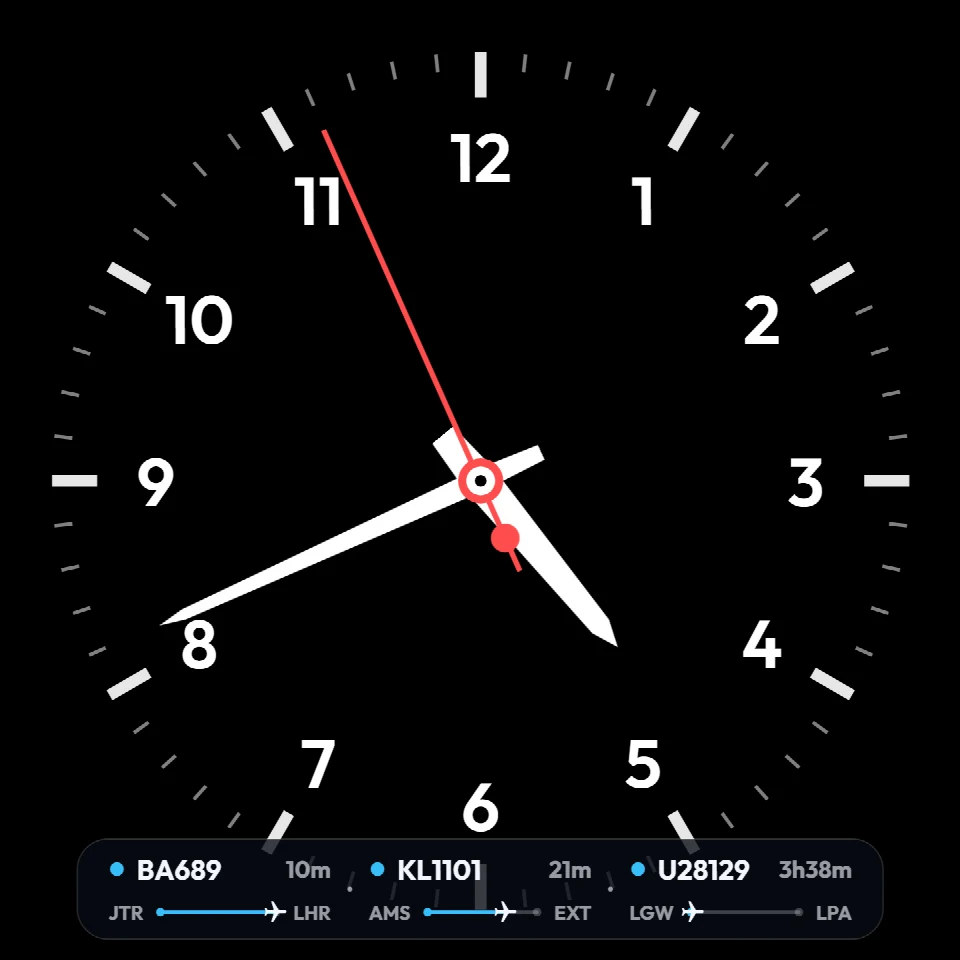
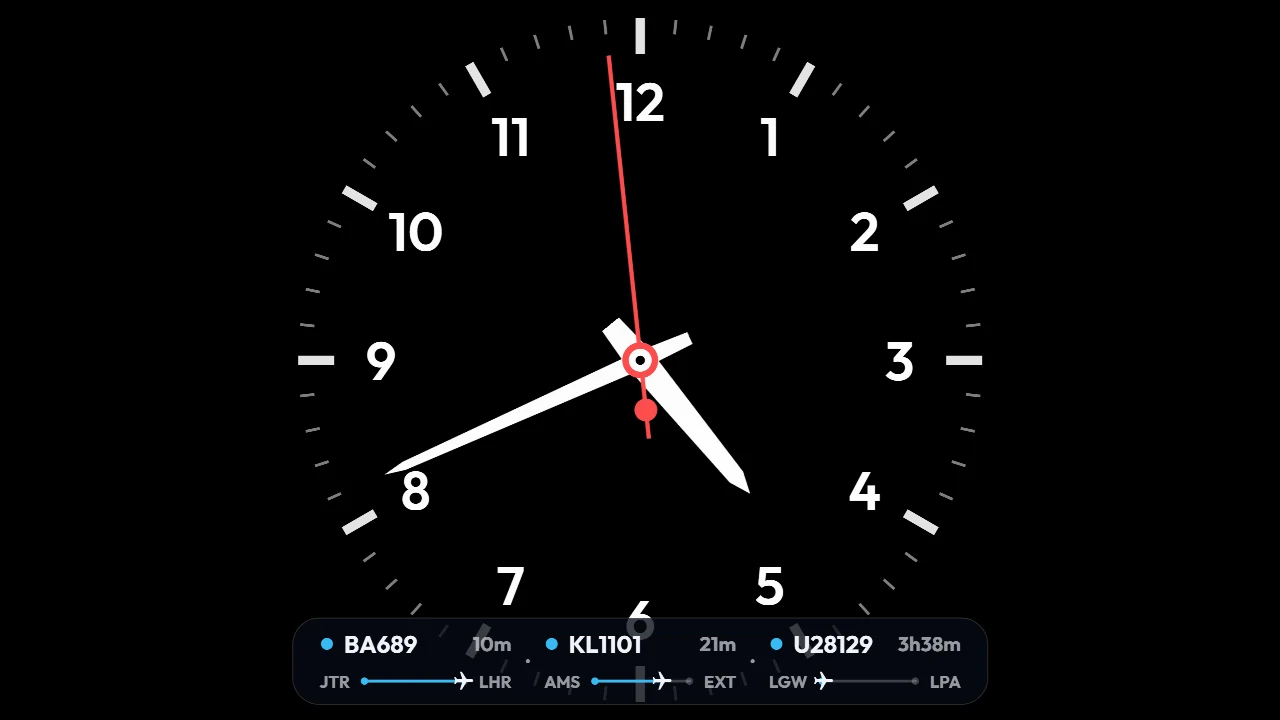
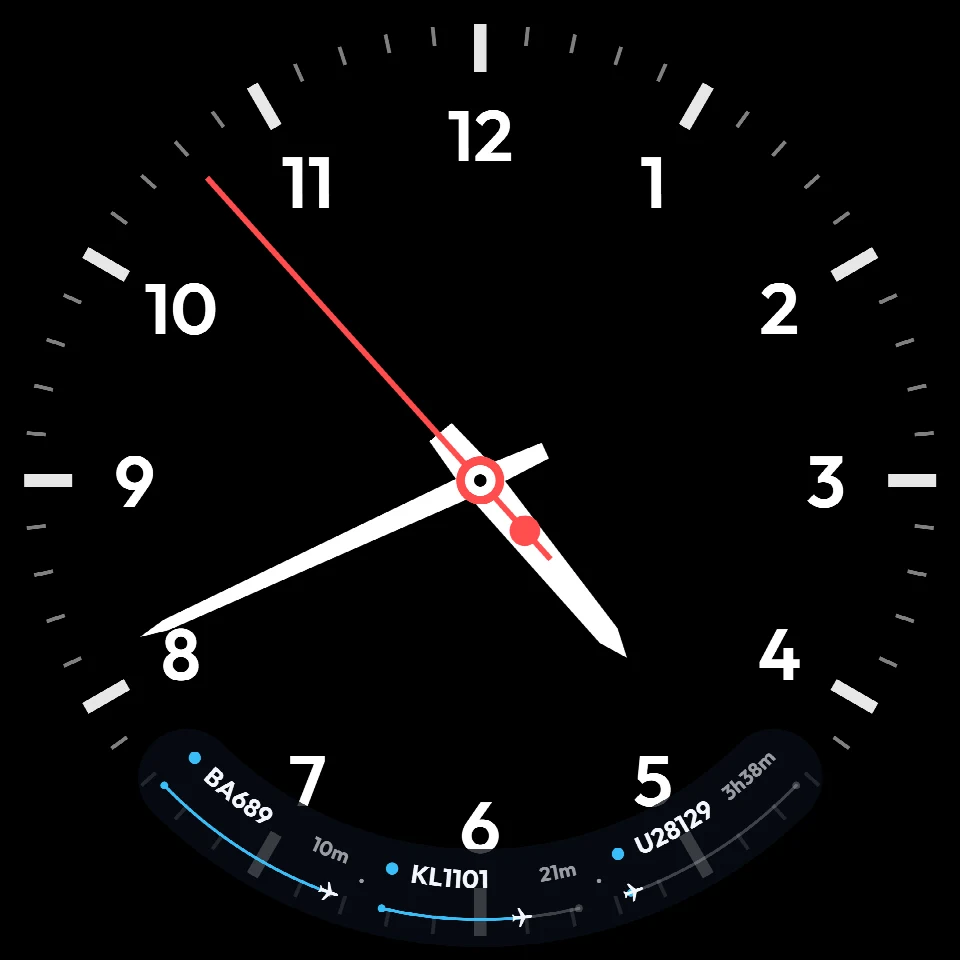
Three flights at once. BA689 is 10 minutes from Heathrow. KL1101 has 21 minutes to Exeter. U28129 still has 3 hours 38 minutes, Gatwick to Lanzarote.
The honest version
Open the app, find their flight, see they are still two hours out, lock the phone, and check again twenty minutes later. A flight tracker display leaves that flight on the desk. The screen shows the flight number you added, with the minutes left and a line from where they took off to where they land. You already know which line is whose.
3
Flights you can follow
Anywhere
A followed flight can be anywhere
Once
Hardware payment
5 to 7 days
Before dispatch, produced in the UK
Who you are waiting on
The screenshots are real units. Three flights share one bar. Swap those flight numbers for the people you are collecting, and the display does the watching.
Almost home
BA689 has 10 minutes left, Santorini (JTR) to Heathrow, and the line on the bar is nearly at LHR. That is the moment you leave for the airport.
Still hours away
U28129 still has 3 hours 38 minutes, Gatwick to Lanzarote. Put it on in the morning. Glance when you want to know if he is halfway.
More than one
KL1101 has 21 minutes, Amsterdam to Exeter, while the other two are still up. Three flights fit together. Each keeps its own time left and its own route.
The pickup
When one arrival is the whole evening, give it the screen. LED Wall Flight Tracker locks onto that aircraft until it is down. Nearby traffic stays off the board while their flight is live.
You add a flight number, a callsign, or a registration. If the booking says BA689, that is what the bar shows, and you already know that line is hers. It also makes a grounded gift for someone who meets people at the airport. See the gift page.
What it is
The idea
A flight tracker display, or aircraft tracking display, shows live aircraft data on a screen. Aircraft broadcast ADS-B signals with their position, altitude, speed and identity. Ground receivers and global networks collect this data, and tracking platforms aggregate it so aircraft appear on maps and displays in real time.
Services like Flightradar24 stitch thousands of receivers into a live map. That map on your phone is one kind of flight tracker display. A dedicated desk object is the one built to sit there all day.
Want the deeper cut? How aircraft tracking works covers ADS-B, networks, and how a display decides what is overhead.
Same ADS-B network. A different job on the desk.
Check a flight, or leave it on
How the data arrives
Understanding how planes appear on a live flight display helps you choose the right setup.
Aircraft with ADS-B transponders broadcast position, altitude, speed and identity on 1090 MHz. Receivers within range, typically hundreds of kilometres, pick each broadcast up.
Planes transmit continuously. Commercial jets, cargo, military, helicopters and light aircraft all appear when they are equipped. The aircraft announces where it is.
Thousands of ground stations feed services like Flightradar24 and OpenSky. Those networks power apps, DIY builds, and dedicated aviation desk displays alike.
Be honest with the brief
The right flight tracker display is the one that matches how much work you want, and whether you already own a screen.
On the go
Flightradar24, FlightAware and similar apps. Perfect for one look at Mum's flight. A poor way to watch it for three hours, because the phone goes back in a pocket.
The long way round
The same idea as FlightAbove at heart, a Raspberry Pi and a screen, and you do the work. You source the parts, flash and configure open-source software, build the layout, and keep it running. Great if the tinkering is the point.
Dedicated hardware
All-in-one FlightAbove displays. Mini is the compact 4 inch square, visual only. Horizon is the 7 inch widescreen. Altitude is the 5 inch circular flagship with sound alerts. Same tracking on all three.
We ship the Pi
A Raspberry Pi 4 with FlightAbove already on it. You bring the HDMI screen. Lowest hardware price if you already have a monitor or TV.
Your screen
Same software in any modern browser. Unique URL, nothing to install. For a tablet, spare monitor, laptop, or a Raspberry Pi you already run.
Always on. Your window.
Location · Bearing · Radius
Why a dedicated display
Apps are great for checking a flight on the go. For a desk, a dedicated display stays current. Set location, compass bearing and tracking radius once from the FlightAbove web app. After that it looks after itself.
Faces stay as you set them. Followed flights sit on the Tracker HUD, or one flight can take the whole screen. If you want the sky as a departure board, LED Wall is the mode for a TV, Mini, Horizon or Altitude. How that screen compares with a lamp board is in flight display vs an LED matrix.
The object
Mini, Horizon, Altitude and Connect are one-time purchases. Live ADS-B data and software updates are included. The device itself has no monthly bill.
Already have a screen you like? Cloud is the subscription path. Same software. You bring the glass. From £3.99/month.
Put their flight on the screen
Overhead range covers the aircraft passing the window. Flight tracker is the person you are waiting on. Add up to three flights, from the screen or the web dashboard, and they stay on every face until you take them off.
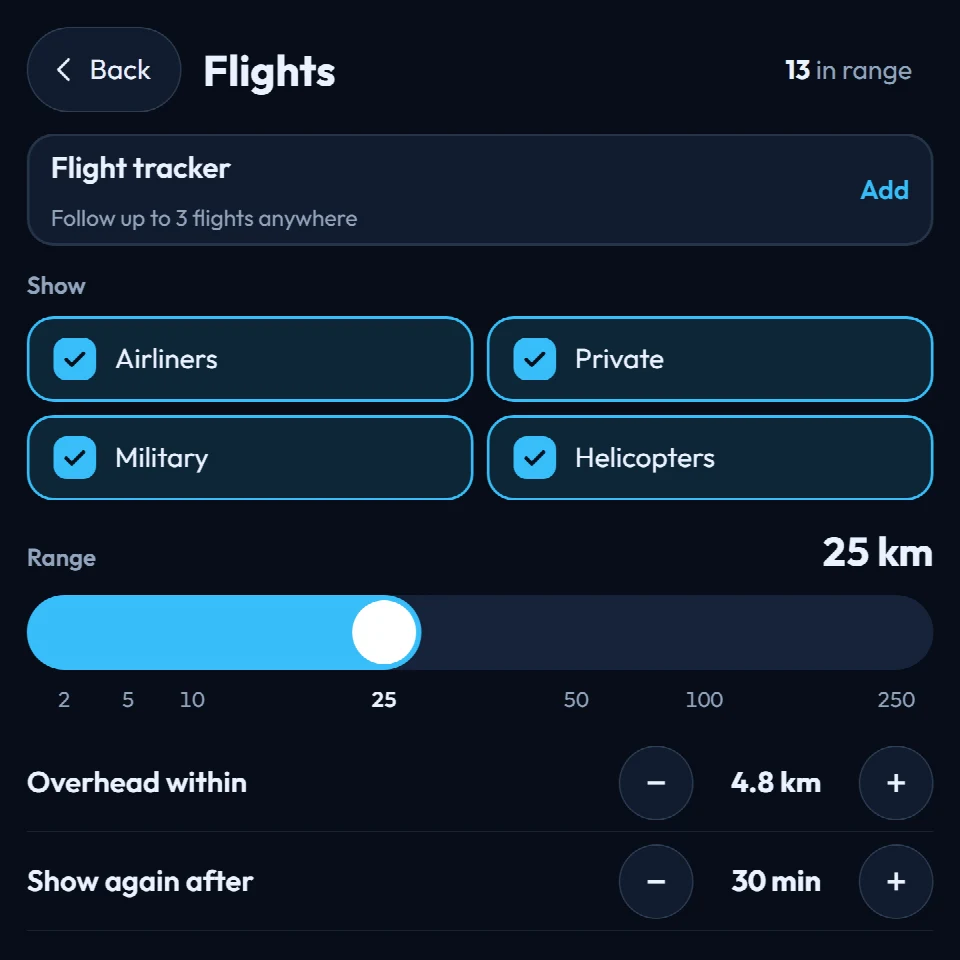
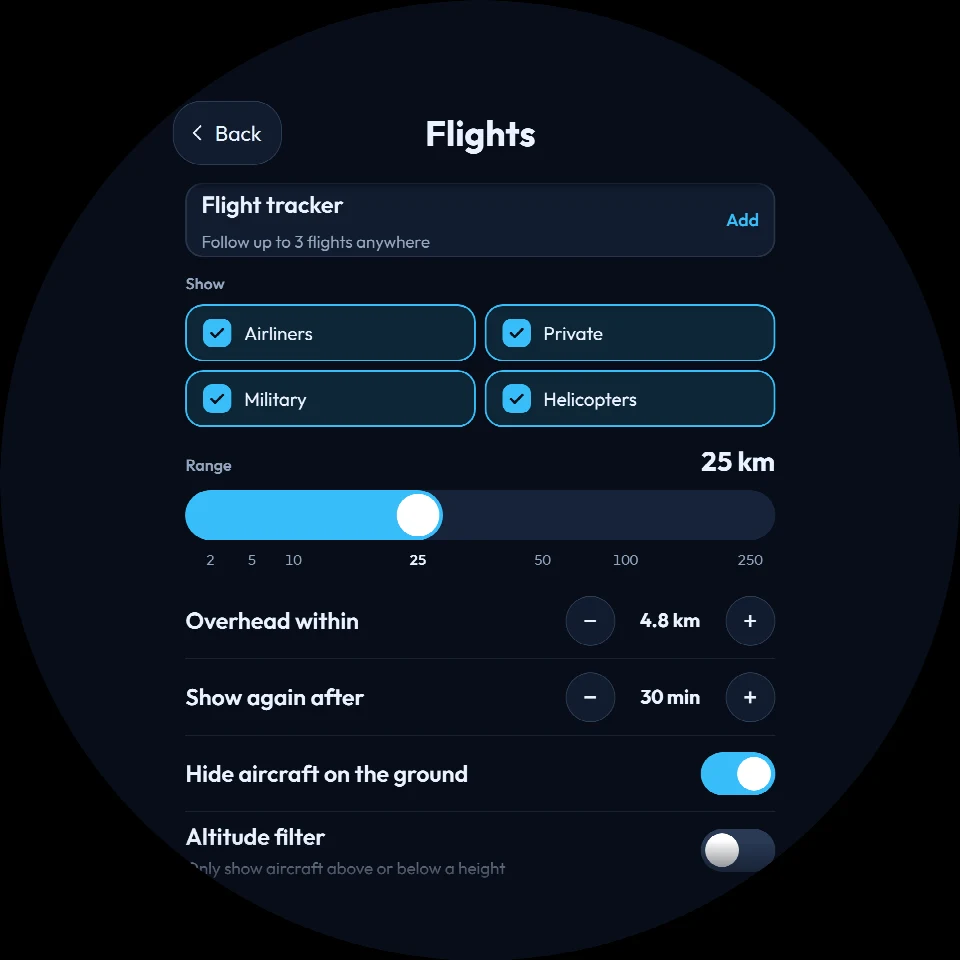
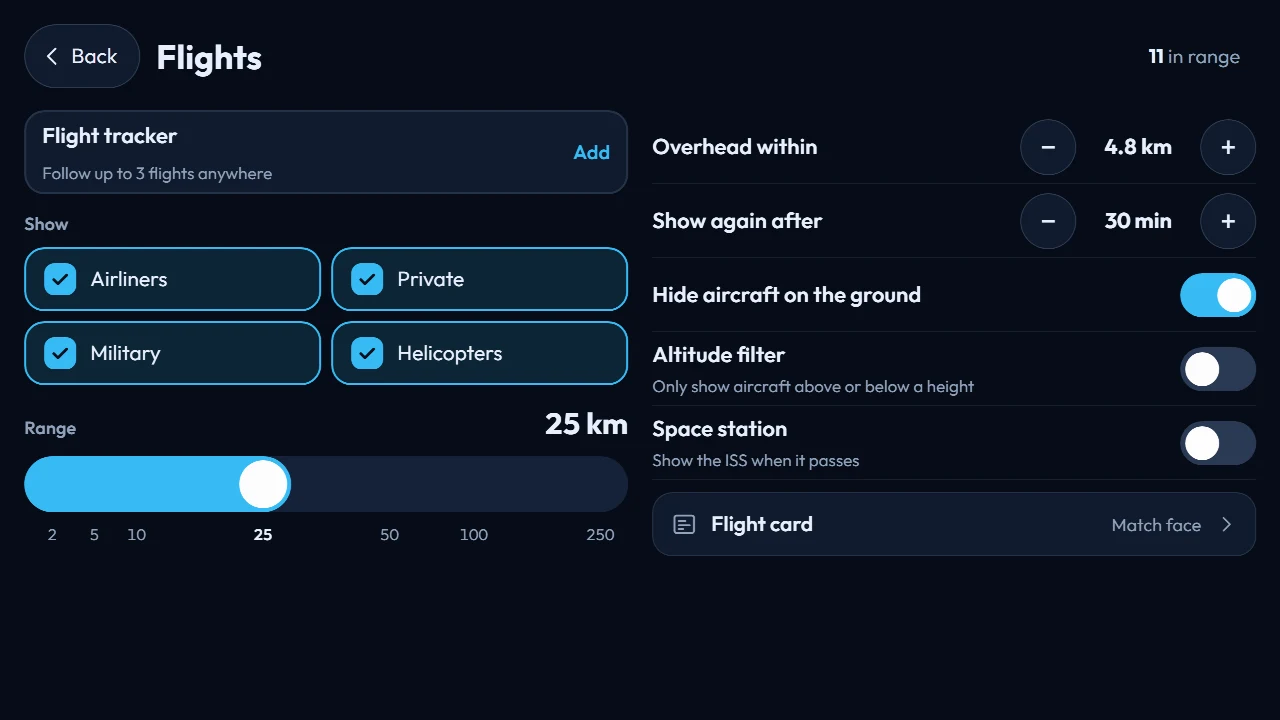
The Flights screen on Mini, Altitude and Horizon. Flight tracker is the first row: "Follow up to 3 flights anywhere", then Add. The rest of this screen is the local sky: which aircraft to show, and how far out to look. Connect and Cloud use the same page in the dashboard.
A slim bar along the bottom of whatever face you already like. Each followed flight shows its number, the time left, and a progress line from origin to destination. On the sample, BA689 is 10 minutes from Heathrow (JTR to LHR), KL1101 has 21 minutes (AMS to EXT), and U28129 still has 3 hours 38 minutes (LGW to LPA). On Altitude the bar curves with the round screen.
Tap the bar to open the full tracker. This is the one to use when Mum, Dad and someone else are all in the air, and you still want the rest of the screen for yourself. More about the HUDs
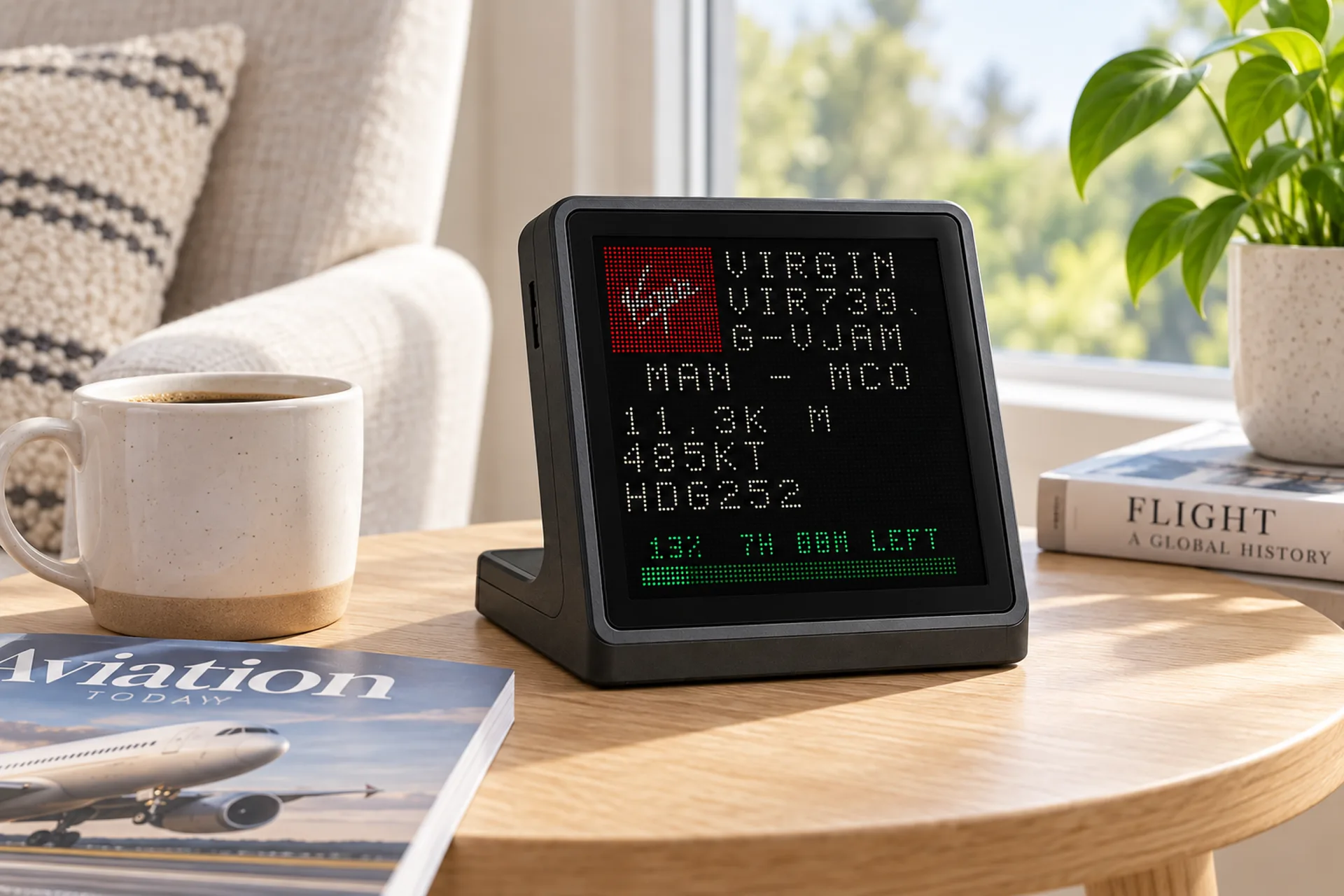
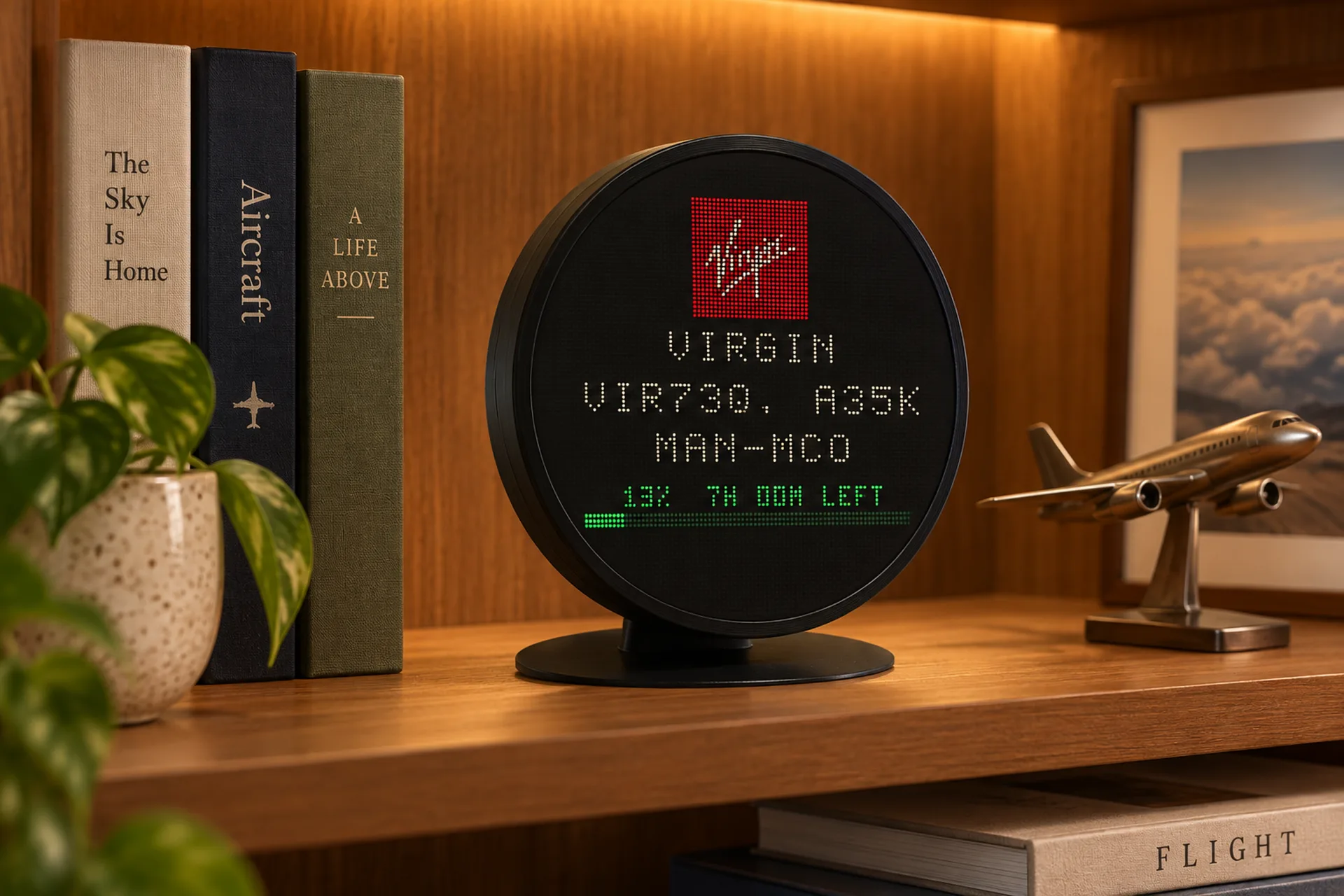
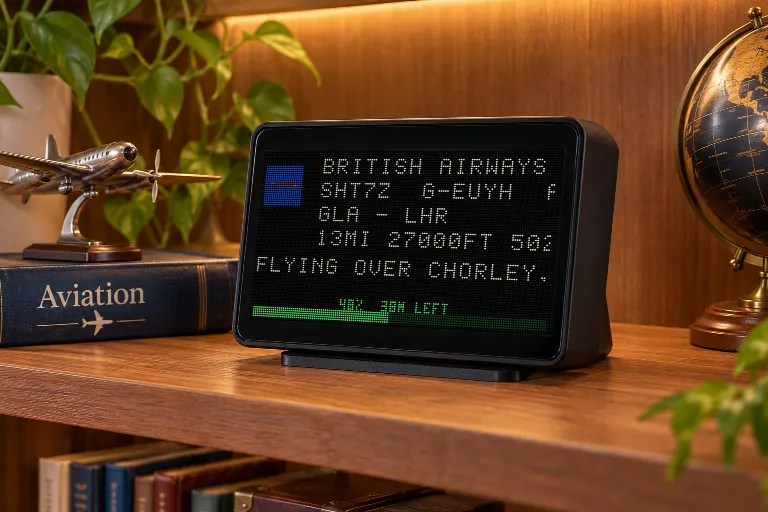
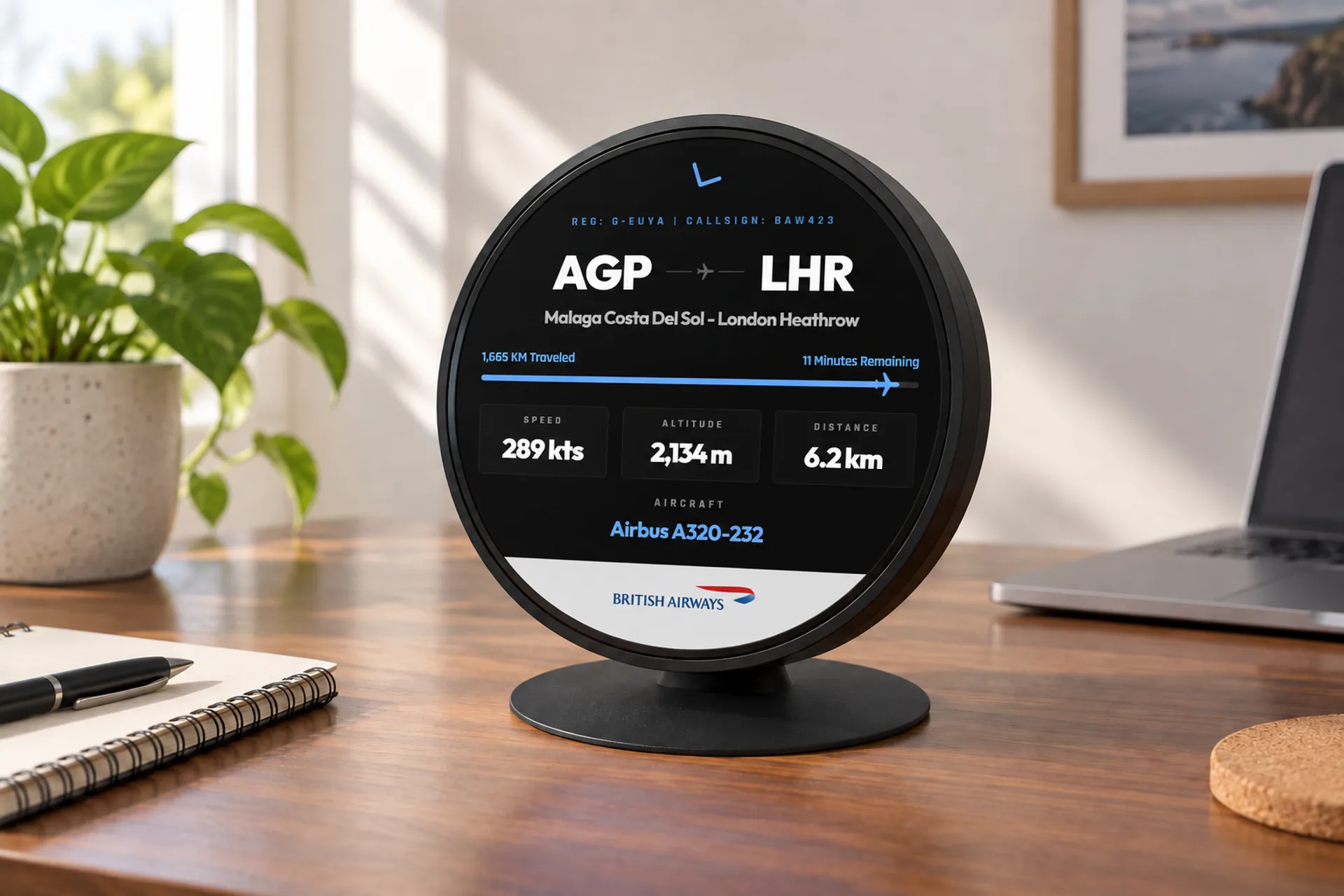
Use this when you only care about one arrival. The board locks onto a tail such as G-EUUU, a flight such as VS75, or a callsign such as BAW482, and stays there until they are down. In the photos, Mini and Altitude are locked on Virgin Atlantic VIR73Q. Horizon is following British Airways SHT7Z from Glasgow to Heathrow. Other aircraft nearby stay off that board.
Who uses them
Mum, Mom, Dad, the kids, a partner. Add the flight number from the booking and leave the minutes on the desk until they are down.
Leave when the bar says ten minutes. One flight can take the whole screen for the drive.
Follow a registration or a callsign you care about, anywhere, and still see the traffic over the house.
A quiet display of real traffic above home, plus the flight you are actually meeting.
The facts
Before you decide
A screen that shows live aircraft data and stays on. Aircraft broadcast ADS-B signals with position, altitude, speed and identity. On a FlightAbove you can also follow up to three specific flights anywhere, so Mum, Dad or any flight number stays on the desk with its route and time left.
Yes. Add their flight number, callsign or registration under Flights. You do not rename the slot. The screen shows the flight, and you know which line is Mum, Mom, Dad, the kids or a partner. Up to three at once, anywhere in the world, and the aircraft over your house stay on the same display.
Three. Flight tracker says "Follow up to 3 flights anywhere". Each one shows on the Tracker HUD with its flight number, time left, and a progress line from origin to destination.
The flight number from the booking, such as BA689, a callsign, or the registration on the tail. Press and hold the screen, open Flights, and tap Add. The same page is in the FlightAbove web dashboard.
No. Overhead range is for the aircraft passing your window. A followed flight can be anywhere: still on the ground at the other end, halfway across an ocean, or ten minutes from landing.
After landing, a followed flight can drop off the Tracker HUD after a few minutes, or stay until you take it off. LED Wall Flight Tracker holds one aircraft until it is down, and nearby traffic does not take over while that flight is live.
Use the Tracker HUD when you want to keep the face you like and still see up to three flights along the bottom. Use LED Wall Flight Tracker when one arrival matters enough to take the whole screen: a tail such as G-EUUU, a flight such as VS75, or a callsign such as BAW482.
Aircraft with ADS-B transponders broadcast on 1090 MHz. Ground receivers and services such as Flightradar24 and OpenSky stitch those signals into a live picture of traffic. Apps and desk displays both draw from that network.
An app is excellent for one look. It is a poor way to watch a flight for hours, because the phone goes back in a pocket and you have to remember to check again. A display leaves their flight on the desk.
Yes. A Raspberry Pi, a screen, and open-source tracking software will show live traffic. It is a real project: image flashing, WiFi, updates, and a layout you assemble yourself. FlightAbove Connect is the same idea without the homework. We ship a Raspberry Pi 4 with FlightAbove already on it. You bring the HDMI screen.
Mini, Horizon and Altitude are dedicated displays. Mini is 4 inch square. Horizon is 7 inch widescreen. Altitude is 5 inch circular with sound. Connect is a Raspberry Pi 4 we ship, ready to plug into a screen you already own. Cloud is the same software in a browser for hardware you already manage. Hardware is a one-time purchase. Cloud is the only subscription.
No. Mini, Horizon, Altitude and Connect are one-time purchases. Live data and updates are included. Cloud is optional, from £3.99/month, if you want the software on a screen you already own.
Still curious? Ask us · How tracking works
Your window to the skies above
Add Mum, Dad or any flight number. Mini, Horizon or Altitude on the desk. Connect if you already have HDMI. Cloud if you already have a browser. Hardware paid for once.
From £99.00 one-time on hardware